
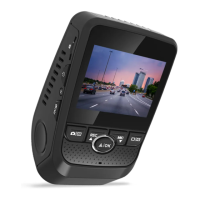
How to fix SD card is full on Rexing GW101?
- BBrittany CohenAug 26, 2025
If your Rexing Dash Cameras SD card is full, make sure the G-sensor is on the lowest setting. You can also clear some locked files or format the SD card.
How to fix SD card is full on Rexing GW101?
If your Rexing Dash Cameras SD card is full, make sure the G-sensor is on the lowest setting. You can also clear some locked files or format the SD card.
What to do if my Rexing GW101 device will not turn on?
If your Rexing Dash Camera device won't turn on, the battery may be depleted. Charge the battery for 3 hours, ensuring the unit is off while charging.
Identifies and labels the physical buttons and ports of the dash cam.
Explains the operational functions of each button on the dash cam.
Guide on how to properly insert a memory card for recording.
Instructions for safely removing the memory card from the device.
Steps to format the memory card using the device or computer.
Sets the video recording resolution and provides estimated recording times.
Configures continuous recording, overwriting older footage.
Improves recording quality in varied lighting conditions.
Adjusts camera exposure for brighter or darker video.
Enables or disables audio recording with video.
Adds date and time overlay to recorded videos.
Stamps the vehicle's license plate number onto video recordings.
Configures the device's current date and time settings.
Operation to format the memory card, erasing all data.
Resets all device settings to their original factory values.
Sets the pixel resolution for captured still images.
Adjusts the quality level of captured still images.
Adjusts color balance for different lighting environments.
Adjusts brightness level for captured still images.
Instructions for deleting individual video files from the device.
How to access and play video files on a computer.
Guide to download and install the companion mobile application.
Steps to connect the dash cam to a smartphone or tablet.
Instructions for installing the desktop playback software.
Method to transfer and view video files on a computer.
How to use the software to play recorded videos and view routes.
Solutions for issues where recorded images are not saved.
Troubleshooting steps for a frozen or unresponsive device.
Steps to resolve the device failing to power on.
How to fix issues where the SD card is not detected.
Addresses problems preventing video recording.
Actions to take when the memory card storage is exhausted.
Solutions for file errors during playback.
Resolves horizontal banding issues in recorded images.
Troubleshoots the automatic power on/off feature.
| Brand | Rexing |
|---|---|
| Model | GW101 |
| Category | Dash Cameras |
| Language | English |











