Wi-Fi Connect
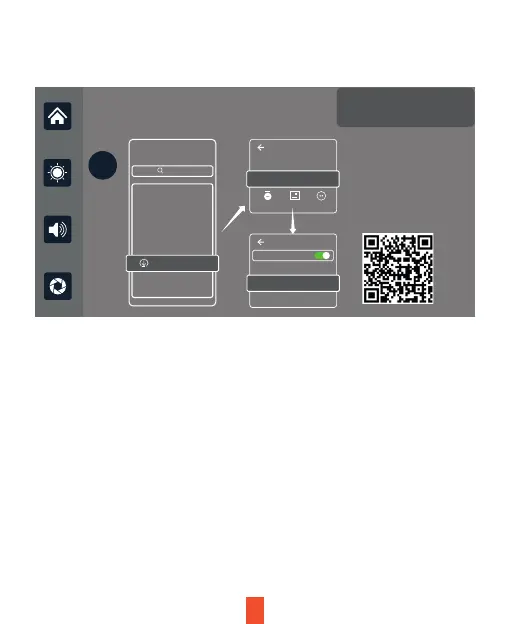
As shown in the figure above, scan the QR code to download the mobile
app for dash cam footage. Open the app and follow the prompts to
connect your phone to device Wi-Fi: RTSP-XXXXXX and enter password:
12345678. Once, connected you can transfer, manage, and view dash cam
footage from the device display screen.
Apple Carplay Android Auto Wifi Video
?
App Store
WLAN
WiFi Video
You have not added a camera
Add Camera
Follow the APP tips,
connect
WiFi: RTSP -174C2E
Password:12345678
WLAN
XXX-XXXXX
Connect
App
Cancellation
Download
Camera Album More
17


 To Next Page