M
OK
9
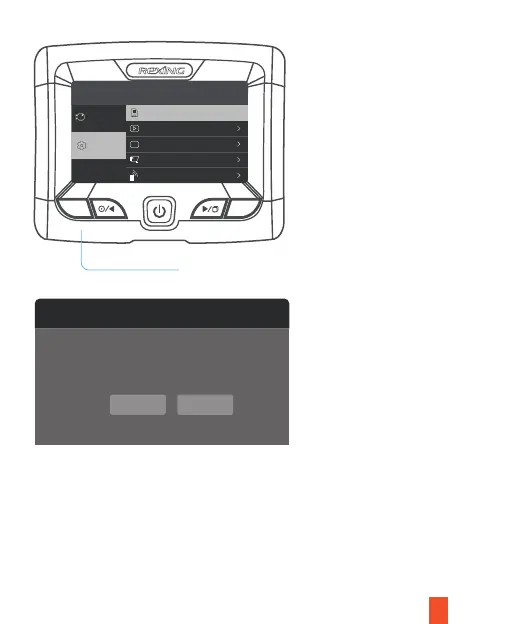
Use the RIGHT and LEFT navigation buttons and go to the Memory card setting.
Press the OK button to confirm the selection. You may now disconnect from power.
The camera will shut down after 3 seconds. The camera should begin recording
automatically the next time it is powered on.
Press the Yes button to confirm formatting the card
Format
Format Card?
All data will be deleted.
Yes No
Press the Menu button twice
System Settings
Recorder Setting
60900 MB
Auto off LCD
Language
Parking monitor
IR control
Close
English
Off
Auto
General Setting
A



 To Next Page