14
Assembly and adjustment instructions RF-KIT Power Amplifier RF2K-S
Step 22: Optional power fine tuning via the menu
Please also note the description in the operating instructions
(➔ page 15, “Output Power Calibration“)
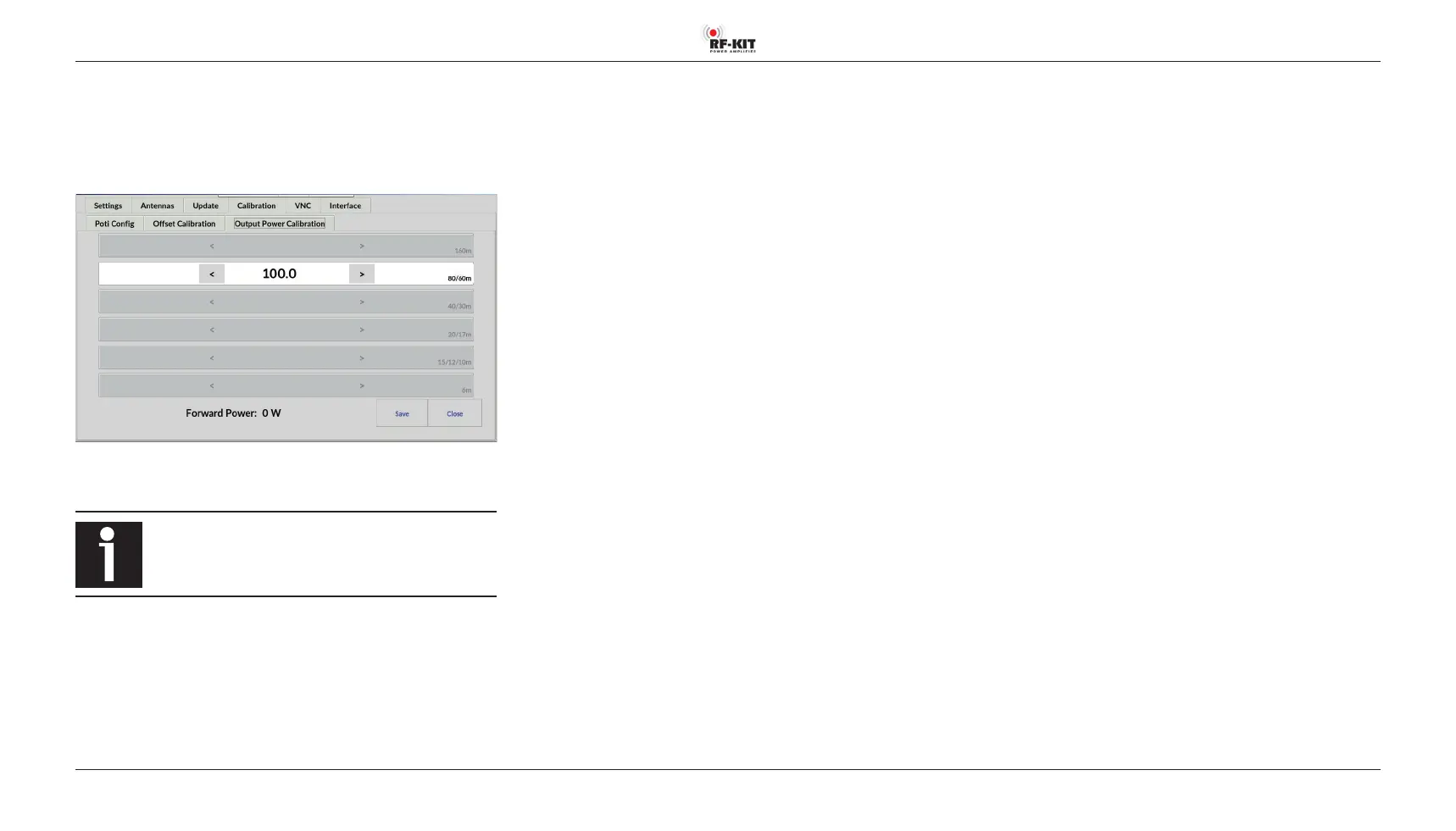
Go to
Menu → Calibration → Output Power Calibration:
The output power generated at a given control power can be adjusted op-
tionally within certain limits for each bandpass range.
The 6 m band requires a higher control power than the
other frequency ranges and should therefore always be set
to “100“.
Selection of the bandpass range is done automatically during transmission.
The detected band is highlighted.
► Adjust the output power by tapping switching areas
> (increase value) respectively < (decrease value).
Brief actuation changes Calibration Value by 1 digit.
Longer actuation changes the value continuously (factory setting: 100.0).
Display area Forward Power constantly informs you about the currently
generated output power.
► Press the switching area Save to store the settings.
► Repeat this procedure for each bandpass range to be adjusted.



 To Next Page