9
Assembly and adjustment instructions RF-KIT Power Amplifier RF2K-S
Adjustment
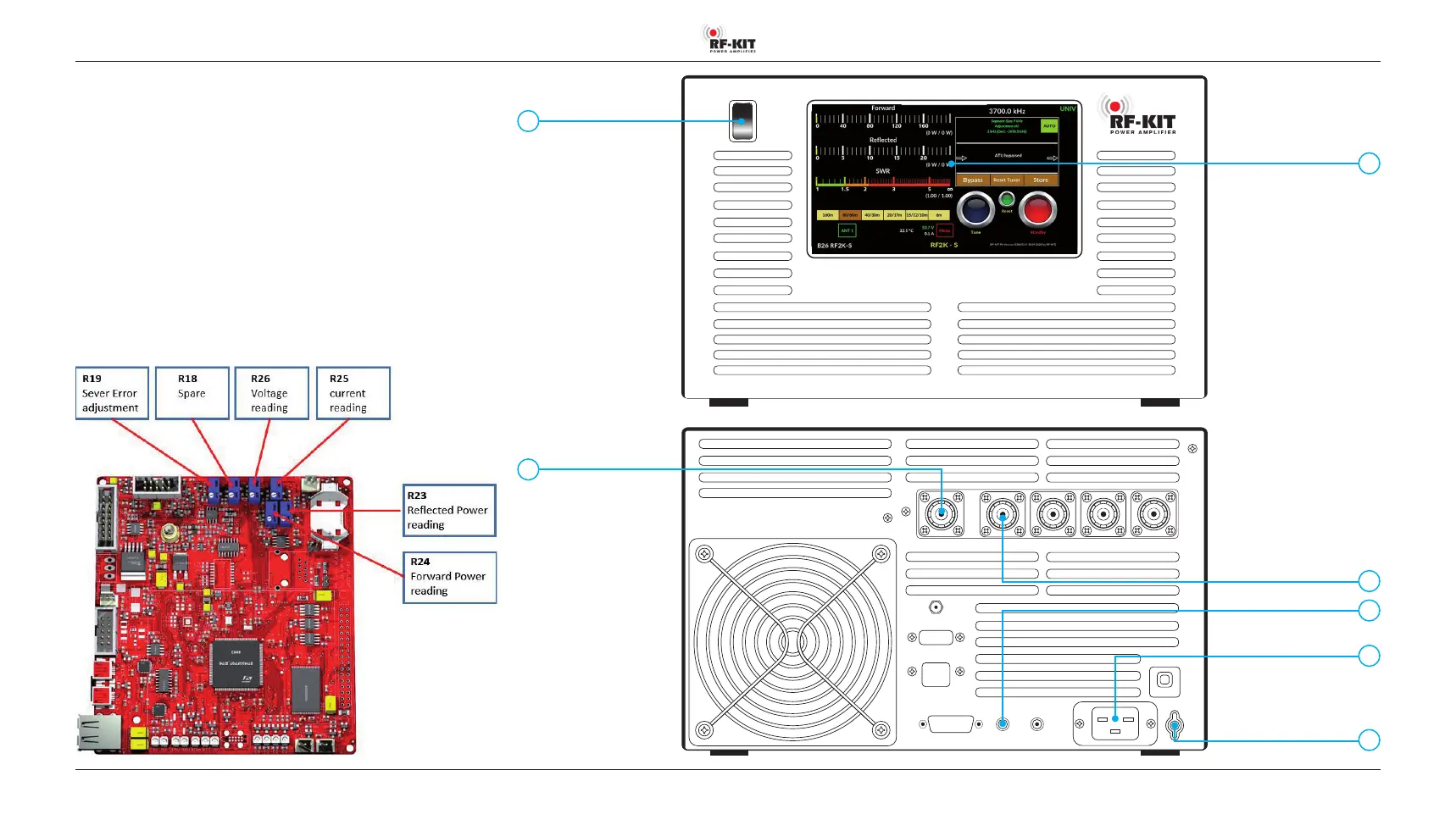
Switch on the unit with On/Off (1). Wait until the main screen is displayed
on the Touch screen (2).
The following adjustments are made using setting
Tuner Mode: Auto - Bypass:
- Adjustment voltage display
- Test of frequency measurement and lowpass filter circuit
- Forward power display, reflected power display and SWR-display.
These power-based adjustments are carried out in the 20 m
band (14 MHz).
Fig. below: Position of the potentiometers relevant for the adjustment on
the Controller board.
0
I
Rear panel:
6
17
Front panel:
1
2
9
11
1 On/O
2 Touch screen
6 ANT 1
7 PTT
9 Power jack
11 Ground connector
17 Exciter input
7



 To Next Page