Preparations for Use as a Network Scanner
32
2
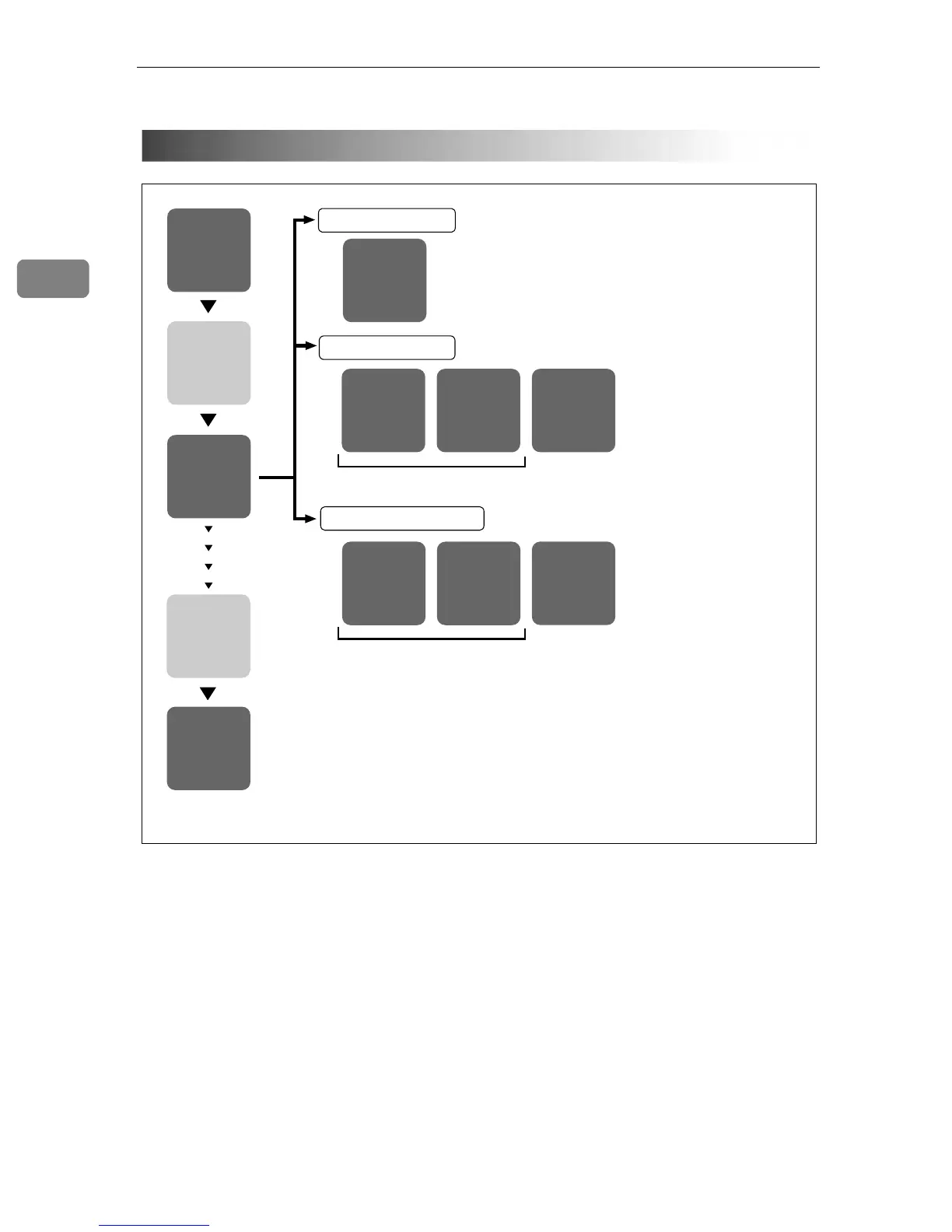
The installing sequence using Auto Run is as follows:
For information about the outline of the software that can be installed by Auto
Run, see p.36 “Software Supplied on CD-ROM”.
Installation Sequence
The installer
starts up.
The
installation
complete
message is
displayed.
Select
the software.
Insert the
CD-ROM.
Restart
your PC.
TWAIN
Driver
TWAIN Driver Ver.3
ScanRouter
V2 Lite
ScanRouter V2 Lite
DeskTopBinder
V2 Lite
DeskTopBinder V2 Lite
Acrobat
Reader
ScanRouter
V2 Link
Install all at once, or select and install individually.
Install all at once, or select and install individually.
ScanRouter V2
Administration
Utility
Acrobat
Reader
Acrobat
Reader
ZGZY070N









 To Next Page