Sending Stored Scan Data by E-mail
66
6
Procedure for Sending E-mails
Data is sent after specifying scan set-
tings and destination. If necessary,
you can select a sender and a subject.
A
AA
A
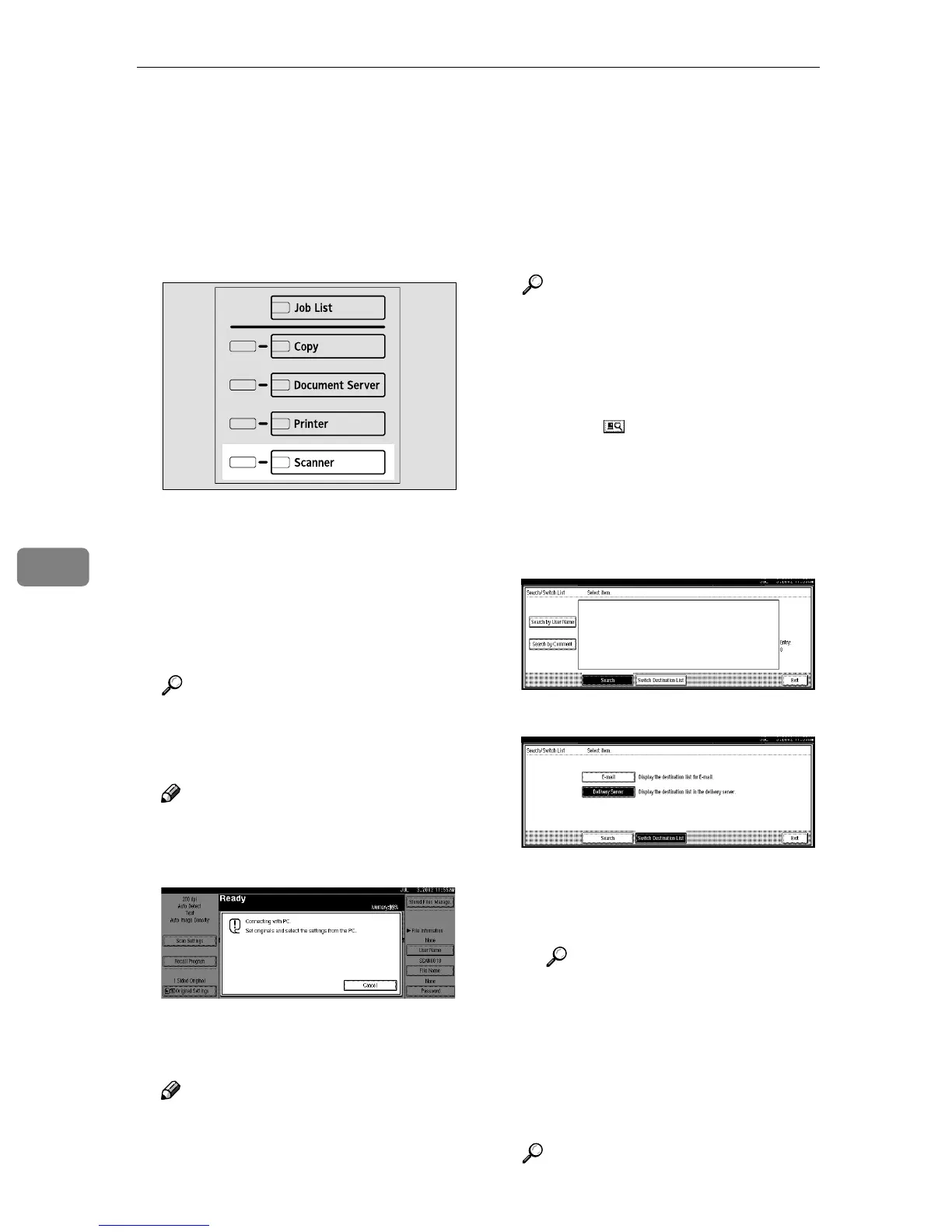
Press the {
{{
{Scanner}
}}
} key.
B
BB
B
If user codes are set, enter a user
code (consisting of up to eight
characters) with the number keys,
and then press the {
{{
{#}
}}
} key.
The scanner function screen is dis-
played.
Reference
For information about the user
code, see the General Settings
Guide.
Note
❒ If the network TWAIN scanner
screen is displayed, press [Can-
cel].
C
CC
C
Make sure that no previous set-
tings remain.
Note
❒ If a previous setting remains,
press the {
{{
{Clear Modes}
}}
} key.
D
DD
D
Place the original in the machine,
and adjust the settings for origi-
nal size and orientation if re-
quired.
Reference
⇒ p.41 “Setting Originals”
E
EE
E
If the network delivery scanner
screen appears, switch to the
screen for sending e-mail.
A Press [].
The Search/Switch List screen
is displayed.
B Press [Switch Destination List].
The switch destination screen is
displayed.
C Press [E-mail].
D Press [Exit].
The send e-mail screen is dis-
played.
Reference
⇒ p.22 “Making Scanner Set-
tings”.
F
FF
F
Make the scan settings.
To make the scan settings, call up
stored settings or make the settings
individually.
Reference
⇒ p.18 “Setting Scanner Fea-
tures”
ZGZS331N







 To Next Page