EasyManua.ls Logo

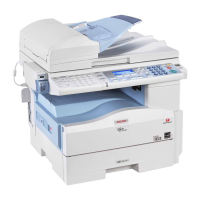
Ricoh MP 171F - User Manual

Ricoh MP 171F
128 pages
Print Icon
To Next Page IconTo Next Page
Loading...
Simple Search
Getting Started
Ad
ding Paper
Ad
ding Toner
Ente
ring Text
Opera
ting Instructions
Re
marks
Appendix
1
2
3
4
5
6
7
8
Read this manual carefully before you use this machine and keep it handy for future reference. For safe and correct use, be sure to read the Safety Information
in this manual before using the machine.
About This Machine
Operating Instructions

Table of Contents

Questions and Answers

  • M
    Michael IngramAug 11, 2025
    What to do if authentication failed on Ricoh Copier?
    • D
      Desiree GeorgeAug 11, 2025
      If authentication fails on your Ricoh Copier, it could be due to an incorrect login user name or password. Inquire with the user administrator for the correct credentials. Alternatively, the authentication server may be inaccessible when using Basic Authentication, Windows Authentication, LDAP Authentication, or Integration Server Authentication; in this case, contact the administrator.
  • M
    Mr. John Fowler DDSAug 26, 2025
    Why Ricoh Copier cannot copy, original is being scanned by another function?
    • J
      Joseph CookAug 26, 2025
      If your Ricoh Copier cannot copy because the original is being scanned by another function, it means the scanner function is currently in use. Cancel the current scan job by pressing the [Clear/ Stop] key on the scanner screen. When the message "Clear/Stop key was pressed. Stop scanning?" appears, press [Stop].

Ricoh MP 171F Specifications

General IconGeneral
FunctionsPrint, Copy, Scan, Fax
Print Resolution (Black)600 x 600 dpi
Copy Resolution600 x 600 dpi
Scan Resolution600 x 600 dpi
Fax Transmission Speed33.6 kbps
Paper Capacity250 sheets
Max Paper SizeA4
Duplex PrintingManual
TypeMultifunction Printer
Print Speed (Black)17 ppm
Copy Speed17 cpm
ConnectivityUSB
Operating System CompatibilityWindows, Linux

Related product manuals