EasyManua.ls Logo

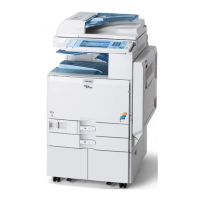
Ricoh MP CW2201 - Service Manual

Ricoh MP CW2201
1176 pages
Print Icon
To Next Page IconTo Next Page
Loading...
MP CW2201
Machine Code:
D262
Field Service Manual
March, 2016

Table of Contents

Questions and Answers

  • J
    Justin MccarthyJul 28, 2025
    How to reset SC codes on Ricoh MP CW2201 Printer?
    • J
      jeffrey10Jul 28, 2025
      To reset SC codes shown on the Ricoh Printer's operation panel, set the operation switch or the main power switch to “off” then to “on”. If these SC codes are shown again, the error still occurs.
  • J
    James ReeseAug 12, 2025
    What to do if Ricoh Printer shows fusing unit SC codes?
    • J
      jacqueline38Aug 12, 2025
      If the Ricoh Printer displays fusing unit SC codes on the operation panel and the machine is disabled, it requires immediate servicing by a service technician. You can also try cycling the machine off and on using the main power switch.

Ricoh MP CW2201 Specifications

General IconGeneral
Color PrintingYes
Scan Resolution600 dpi
Standard InterfacesEthernet, USB
Paper SizeA4
Operating SystemsWindows
Power SourceAC 100-240V, 50/60Hz

Related product manuals