Print Head Cleaning and Adjustment
When printing repeatedly, print quality may be deteriorated because the inside of the machine gets
dirty. In such a case, do maintenance using the Maintenance Menu.
Nozzle Check Pattern Print
Print the nozzle check pattern after filling the ink for the first time or for checking the clogging of the print
head nozzle.
• Before printing the nozzle check pattern, make sure that Prevent Paper Abrasion mode is not
enabled (p.885).
1. Touch [Home] at the bottom of the screen in the center.
2. Flick the screen to the left, and then touch the User Tools icon.
3. Touch [Machine Features].
4. Touch [Maintenance].
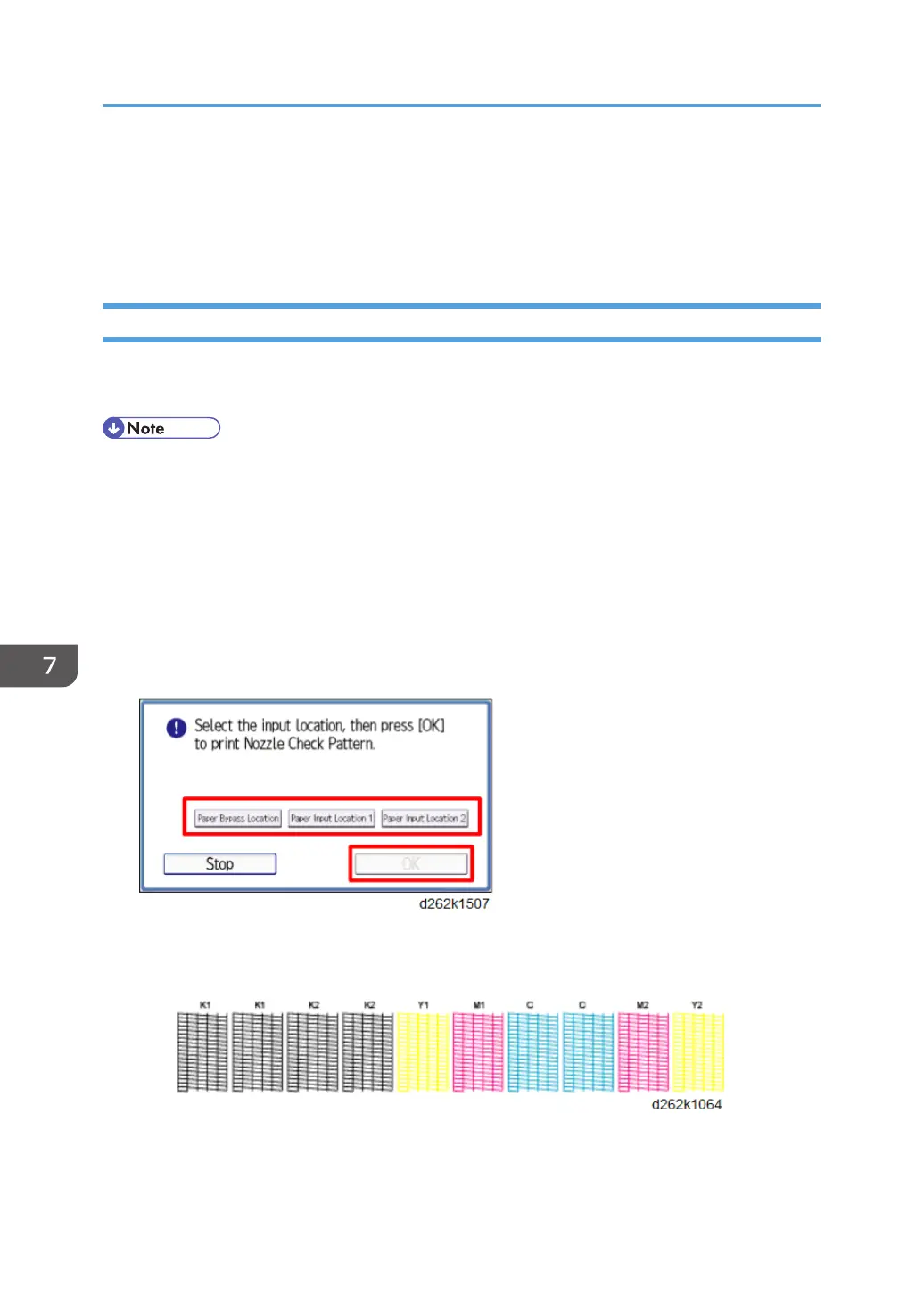
5. Touch [Print Nozzle Check Pattern].
6. Select the input location and touch [OK].
7. Check the print results of the test pattern.
• Normal print results:
• If a nozzle is clogged:
7. Detailed Description
876










 To Next Page