EasyManua.ls Logo

Ricoh MP C407 - User Manual

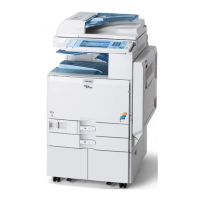
Ricoh MP C407
1241 pages
Print Icon
To Next Page IconTo Next Page
Loading...
MP C307/C407
Machine Code: D296/D297/D298/D299
Field Service Manual
Ver 1.0
Latest Release: Nov, 2017
Initial Release: Nov, 2016
Copyright (c) 2016 Ricoh Co.,Ltd.

Table of Contents

Questions and Answers

  • R
    Richard WilliamsSep 23, 2025
    What to do if my Ricoh Printer displays 'The Android SDK version required by the application is not installed on the control panel'?
    • K
      Kristina AndersonSep 23, 2025
      If the Android SDK version required by the application is not installed on the control panel, check that the Android SDK version required by the application is installed on the control panel.
  • D
    Devin WintersAug 23, 2025
    What to do if my Ricoh MP C407's HDD cannot be used?
    • T
      Theresa FergusonAug 25, 2025
      If the HDD cannot be used, try turning the main power OFF and then ON again, and repeat the procedure. If the problem persists, the HDD may be damaged and need replacement.
  • D
    Donna PeckAug 25, 2025
    What to do if my Ricoh Printer failed to terminate an application when attempting to update or uninstall it?
    • M
      Mrs. Leslie SanchezAug 26, 2025
      If the Ricoh printer fails to terminate an application during an update or uninstall, it could be because a job is currently running within that application. Wait for the job to finish, and then try the procedure again. Alternatively, you can turn the main power OFF and then ON, and repeat the procedure.
  • C
    crobertsAug 27, 2025
    What to do if my Ricoh MP C407 Printer displays 'Failed to connect to the eDC server'?
    • R
      Rachel RamirezAug 27, 2025
      If your Ricoh printer fails to connect to the eDC server, check the network connection (SSL) settings and the proxy settings. If the server is under maintenance, wait a while before trying again.
  • O
    owillisAug 27, 2025
    What to do if my Ricoh MP C407 Printer displays 'Failed to write data when updating the control panel firmware. • There is a problem with the hardware.'?
    • B
      Brad PerryAug 27, 2025
      If the Ricoh printer fails to write data when updating the control panel firmware, turn the main power OFF and then ON, and repeat the procedure. If the update fails again, the control panel may need to be replaced.
  • P
    Patricia LivingstonSep 16, 2025
    What to do if my Ricoh Printer displays 'The application could not be uninstalled because deactivation failed'?
    • E
      Edward JohnsonSep 16, 2025
      If the application could not be uninstalled because deactivation failed, check whether the network is configured correctly. If the server is under maintenance, wait a while and repeat the procedure. Check the activation status of the application; if it has not been activated, activate it.
  • D
    Daniel WoodSep 13, 2025
    What to do if my Ricoh MP C407 Printer displays 'The target update file is invalid'?
    • H
      Holly GriffinSep 13, 2025
      If the target update file is invalid, repeat the procedure using a valid file.
  • L
    Lisa Beck MDSep 15, 2025
    What to do if my Ricoh MP C407 displays 'The folder directory of the control panel firmware is invalid'?
    • J
      John CampbellSep 15, 2025
      If the folder directory of the control panel firmware is invalid, repeat the procedure using a valid directory.
  • G
    Gloria RichardsonSep 5, 2025
    What to do if my Ricoh MP C407 Printer displays 'Failed to execute installation because another function was being used on the MFP'?
    • L
      Laura BeasleySep 6, 2025
      If the Ricoh printer fails to execute the installation because another function was being used, wait a while and repeat the procedure. Alternatively, turn the main power OFF and then ON, and repeat the procedure.
  • S
    Stephen GreeneSep 3, 2025
    What does it mean if my Ricoh Printer displays 'You are trying to install the same application with a different part number. Is it OK to continue?'?
    • D
      Drew AtkinsSep 3, 2025
      This message appears when you're attempting to update an application that is the same but has a different part number. Check the file, and then select either [OK] or [Cancel].

Ricoh MP C407 Specifications

General IconGeneral
Print TechnologyLaser
FunctionsPrint, Copy, Scan, Fax
Print Speed (B/W)42 ppm
Print Speed (Color)42 ppm
Max Print Resolution1200 x 1200 dpi
Duplex PrintingYes
Monthly Duty Cycle150, 000 pages
Paper SizeA4, A5, B5
ConnectivityUSB, Ethernet, Wi-Fi
Mobile PrintingApple AirPrint, Google Cloud Print, Mopria
Operating System CompatibilityWindows, Mac OS, Linux

Related product manuals