EasyManua.ls Logo

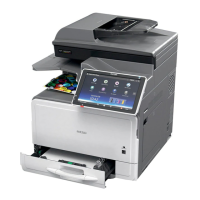
Ricoh MP C407 - User Manual

Ricoh MP C407
1241 pages
Print Icon
To Next Page IconTo Next Page
Loading...
MP C307/C407
Machine Code: D296/D297/D298/D299
Field Service Manual
Ver 1.0
Latest Release: Nov, 2017
Initial Release: Nov, 2016
Copyright (c) 2016 Ricoh Co.,Ltd.

Table of Contents

Questions and Answers

  • C
    crobertsAug 27, 2025
    What to do if my Ricoh MP C407 Printer displays 'Failed to connect to the eDC server'?
    • R
      Rachel RamirezAug 27, 2025
      If your Ricoh printer fails to connect to the eDC server, check the network connection (SSL) settings and the proxy settings. If the server is under maintenance, wait a while before trying again.
  • D
    Donna PeckAug 25, 2025
    What to do if my Ricoh Printer failed to terminate an application when attempting to update or uninstall it?
    • M
      Mrs. Leslie SanchezAug 26, 2025
      If the Ricoh printer fails to terminate an application during an update or uninstall, it could be because a job is currently running within that application. Wait for the job to finish, and then try the procedure again. Alternatively, you can turn the main power OFF and then ON, and repeat the procedure.
  • D
    Devin WintersAug 23, 2025
    What to do if my Ricoh MP C407's HDD cannot be used?
    • T
      Theresa FergusonAug 25, 2025
      If the HDD cannot be used, try turning the main power OFF and then ON again, and repeat the procedure. If the problem persists, the HDD may be damaged and need replacement.

Ricoh MP C407 Specifications

General IconGeneral
Print TechnologyLaser
FunctionsPrint, Copy, Scan, Fax
Print Speed (B/W)42 ppm
Print Speed (Color)42 ppm
Max Print Resolution1200 x 1200 dpi
Duplex PrintingYes
Monthly Duty Cycle150, 000 pages
Paper SizeA4, A5, B5
ConnectivityUSB, Ethernet, Wi-Fi
Mobile PrintingApple AirPrint, Google Cloud Print, Mopria
Operating System CompatibilityWindows, Mac OS, Linux

Related product manuals