Using the Document Server
82
7
Viewing a List of Stored Files
From the list of stored files, you can
delete the files stored in the document
server or change the file information.
To show the displayed list of stored
files, perform the following steps.
A
AA
A
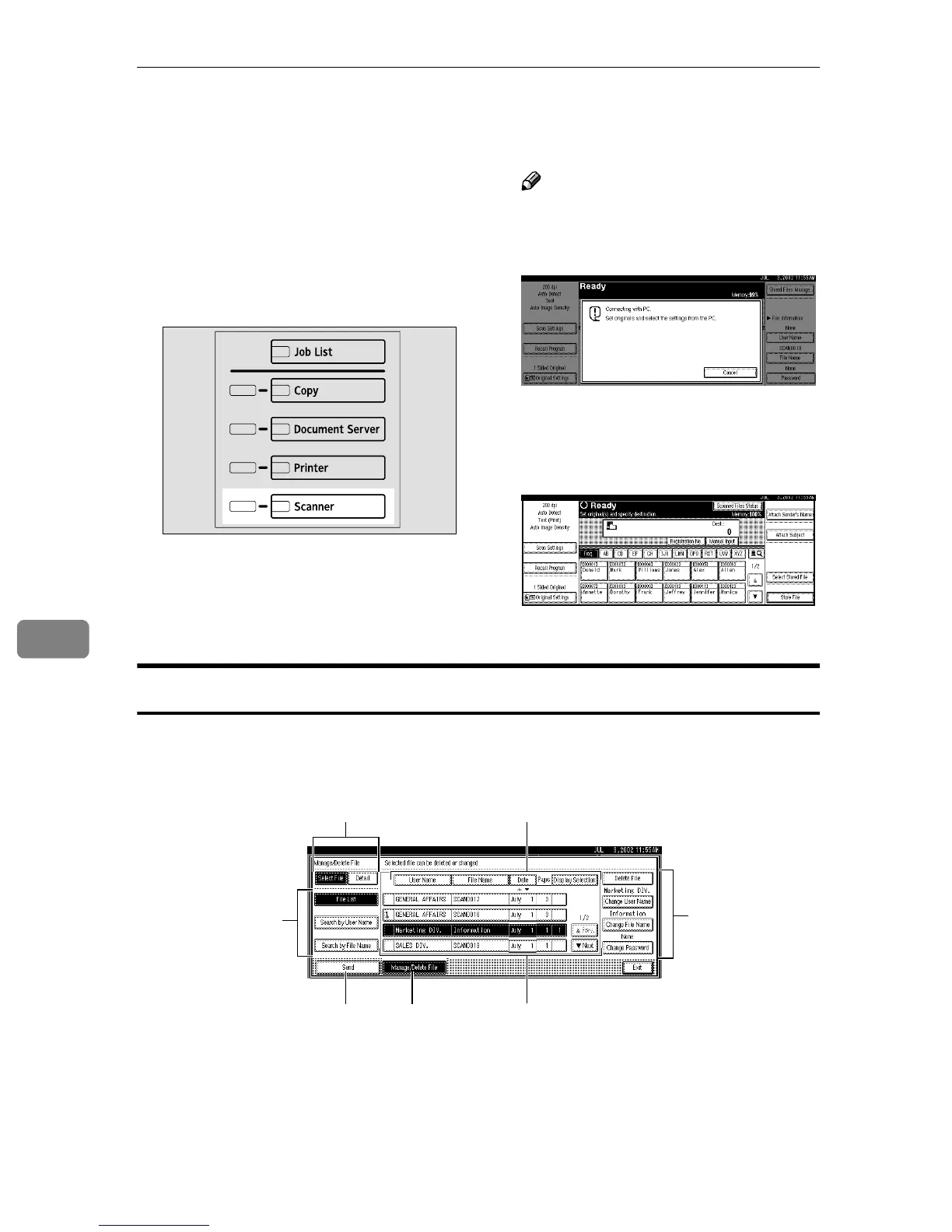
Press the {
{{
{Scanner}
}}
} key.
The scanner function screen is dis-
played.
Note
❒ If the network TWAIN scanner
screen is displayed, press [Can-
cel].
B
BB
B
The list of stored files is dis-
played.
A Press [Select Stored File].
B Press [Manage/Delete File].
Viewing the List
The list of stored files has the following elements.
❖
❖❖
❖ When using the network delivery scanner or e-mail
ZGZS331N
1
4
32
5
67









 To Next Page