Changing File Information
87
7
Changing File Information
The information about files stored in
the document server (user name, file
name, password) can be changed.
Limitation
❒ Information about delivery wait-
ing files cannot be changed.
A
AA
A
Display the list of stored files.
Reference
⇒ p.82 “Viewing a List of
Stored Files”
B
BB
B
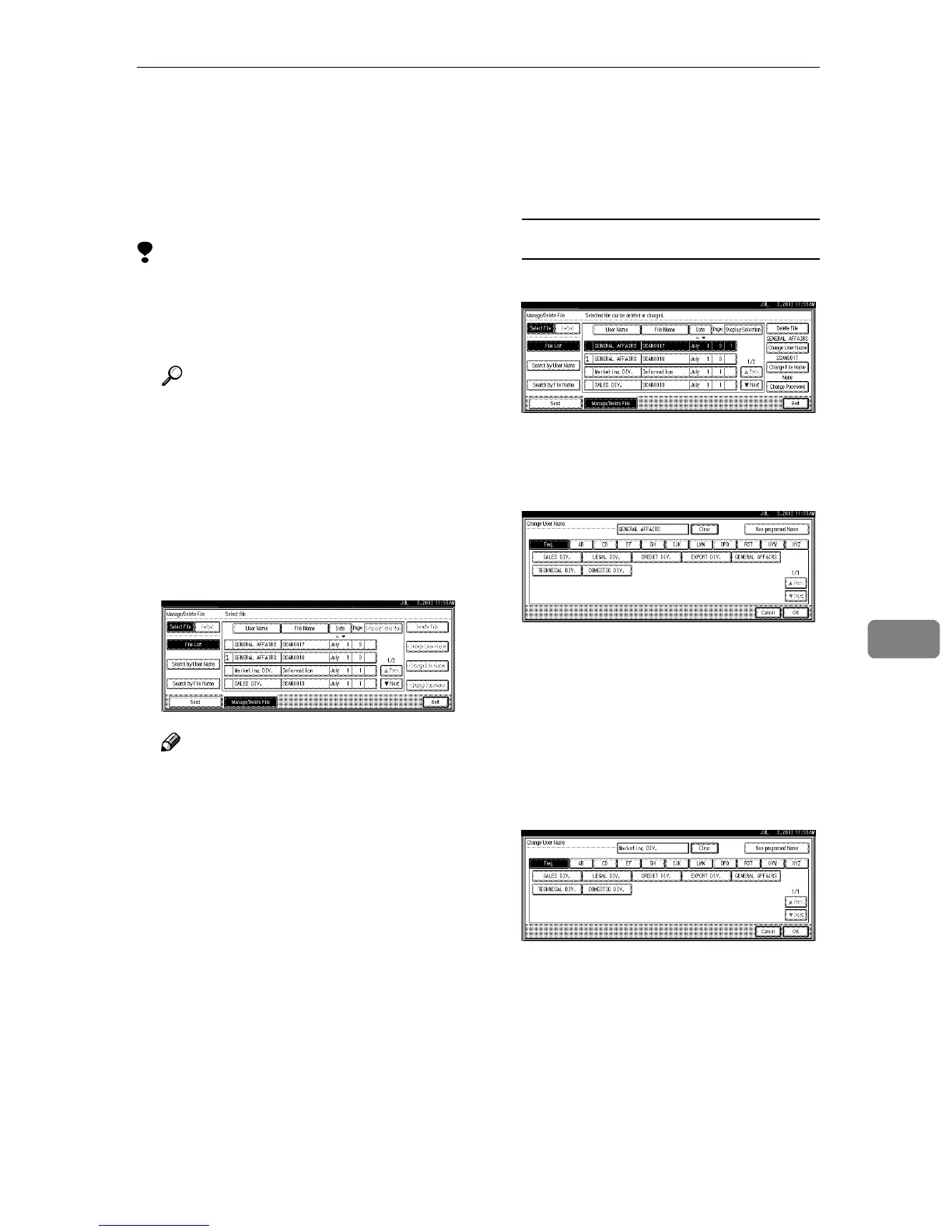
Press [Manage/Delete File]
The Manage/Delete File screen is
displayed.
C
CC
C
Select the file for which you want
to change the file information.
Note
❒ When you select a password
protected file, the Password
screen is displayed. Enter the
correct password, and then
press [OK].
D
DD
D
Change the file information.
Changing the user name
A Press [Change User Name].
The Change User Name screen
is displayed.
B Select the new user name.
The user names shown here are
names that were registered in
System Settings under the Ad-
ministrator tab. To specify a
user name not shown here,
press [Non-programed Name], and
then enter the user name.
C Press [OK].
The user name is changed.









 To Next Page