Using the Document Server
88
7
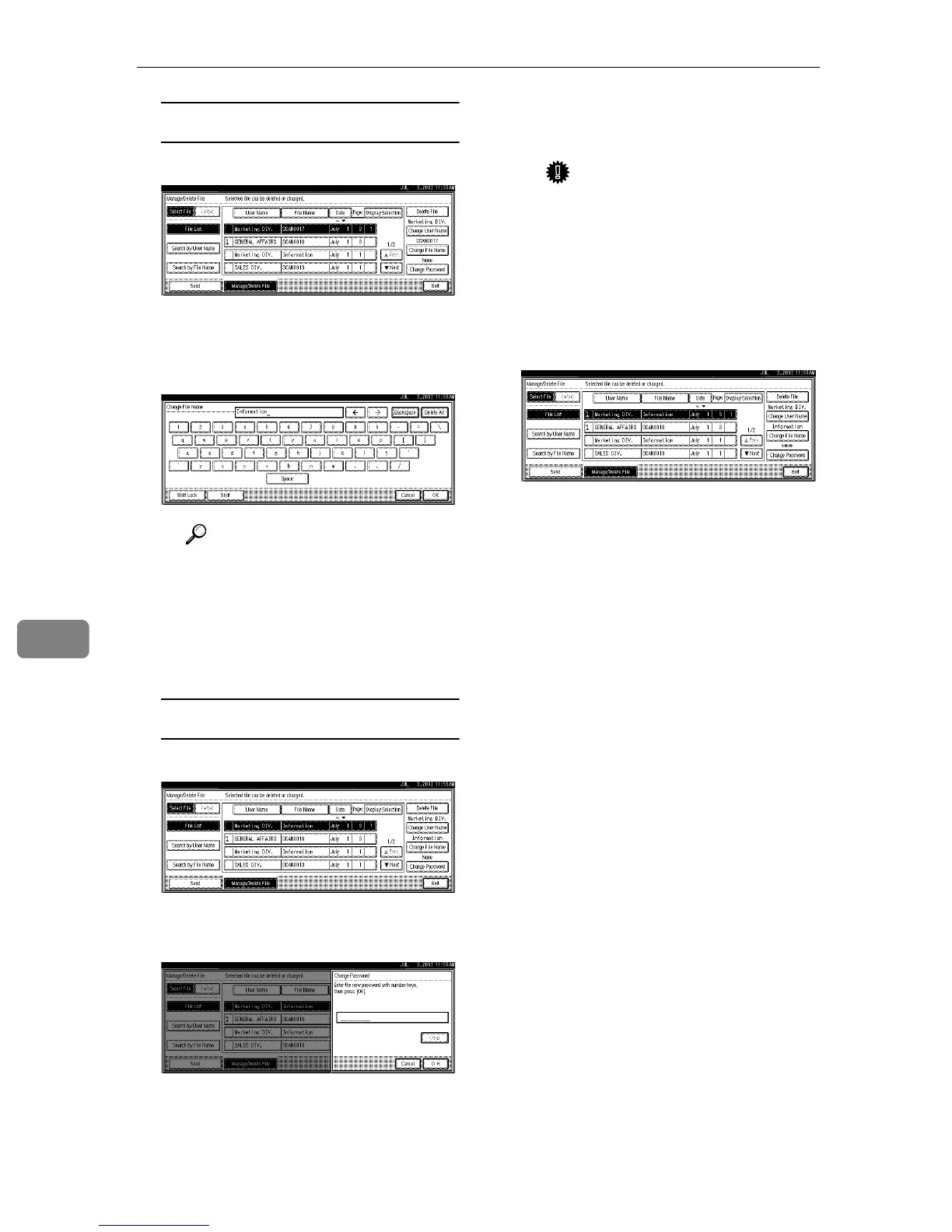
Changing the file name
A Press [Change File Name].
The Change File Name screen is
displayed.
B Enter the new file name.
Reference
For information about how
to enter characters, see the
General Settings Guide.
C Press [OK].
The file name is changed.
Changing a password
A Press [Change Password].
B Enter the new password con-
sisting of four numbers.
C Press [OK].
The new password is stored.
Important
❒ Do not forget the password.
If you forget it, ask the key
operators in charge of this
machine.
E
EE
E
Verify that the file information
change was made as desired, and
press [Exit].









 To Next Page