Setting Originals
46
3
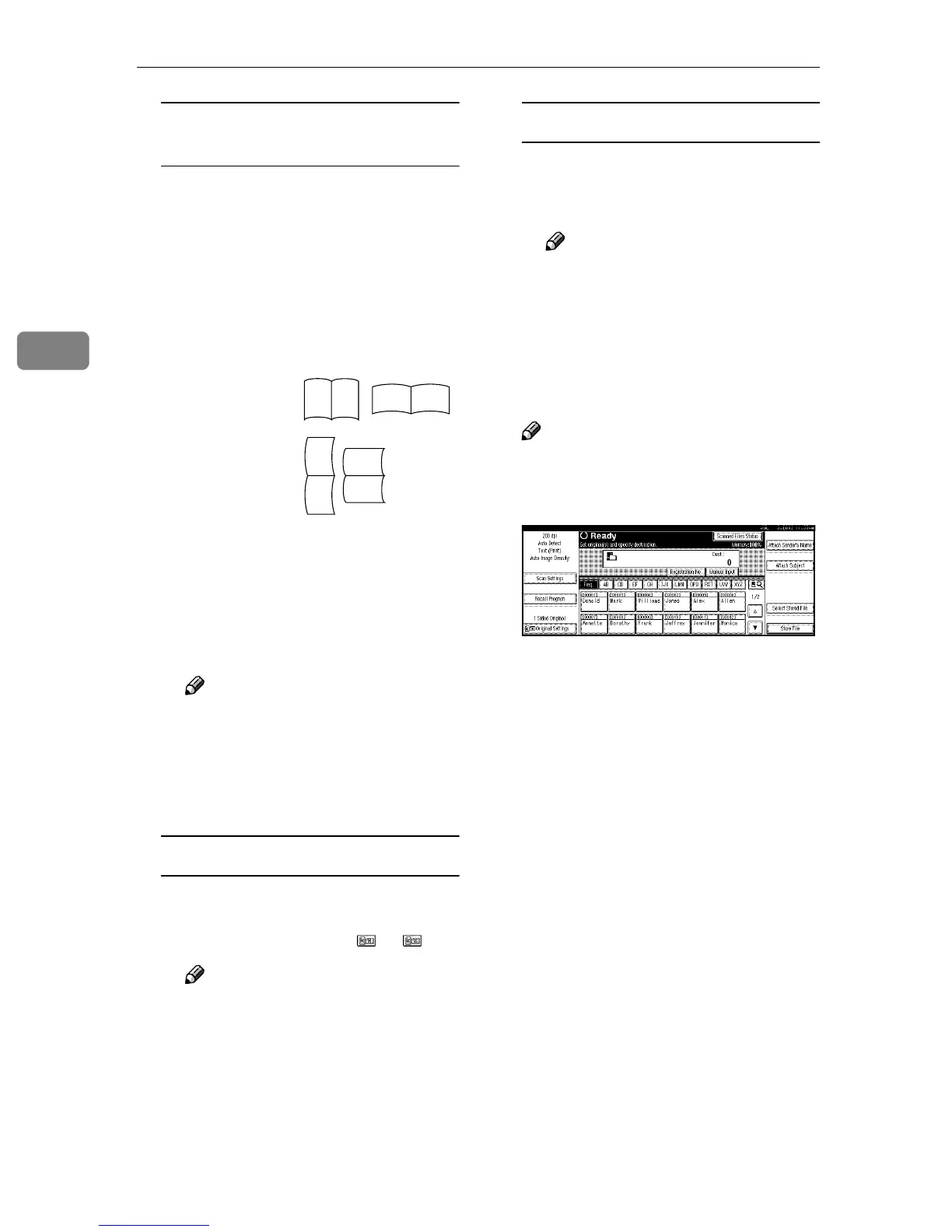
1-sided original/2-sided original
selection
A When scanning one-sided orig-
inals, make sure that [2 Sided
Original] is not highlighted.
B When scanning two-sided
originals, press [2 Sided Original]
to select [T to T] or [T to B] ac-
cording to the binding orienta-
tion of the original.
When the last side of a batch of
two-sided originals is blank, se-
lect [1 Sided Original] to skip that
side and finish scanning, or se-
lect [2 Sided Original] to scan that
side as a blank page.
Note
❒ When scanning originals on
the exposure glass with the [2
Sided Original] setting, set [1
Sided Original] for the last
original.
Orientation selection
A Press the key for the same ori-
entation as the actual orienta-
tion of the original or .
Note
❒ When sending a gray scale
image file in the TIFF (single
or multiple page) or JPEG
format, the image may not
appear with the same orien-
tation as it was scanned in.
Mixed size selection
A When originals of different
sizes are placed, make sure that
[Mixed Size] is highlighted.
Note
❒ If [Mixed Size] is not set, the
scan size is set as the maxi-
mum size detected. Blank
space is inserted in smaller
originals.
C
CC
C
Press [OK].
Note
❒ The current settings are dis-
played with characters and
icons.
Top to top
original:
Top to bot-
tom original:
RS
RS
R
S
S
R









 To Next Page