Guide to This Machine
9
1
Guide to This Machine
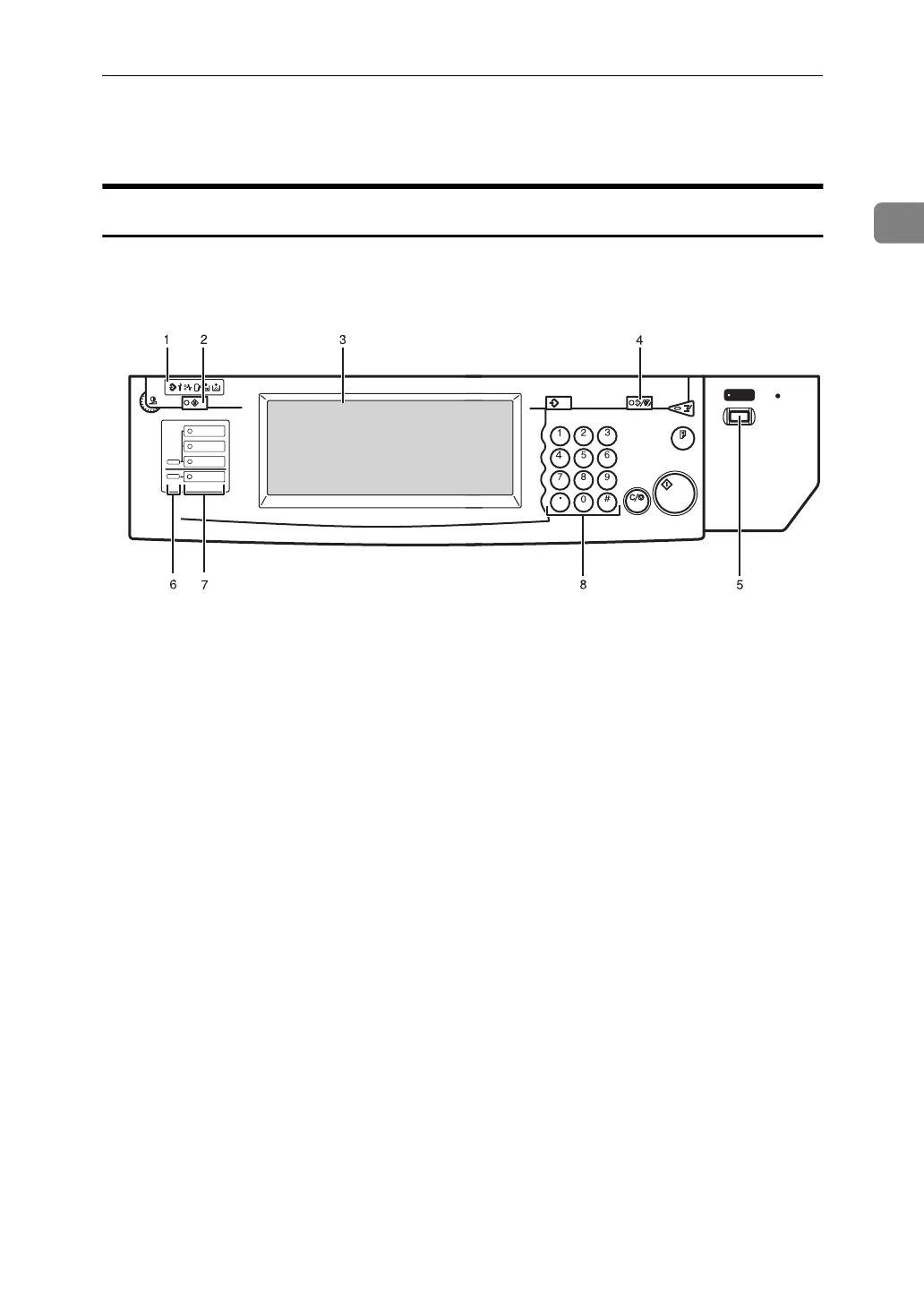
Operation Panel
This panel display is for the installed Copier and Printer.
1. Data In indicators
These indicators show errors or the status
of the machine.
2. {
User Tools/Counter
} key
• User Tools
Press to change the default settings
and conditions to meet your require-
ments.
• Counter
Press to check or print the total num-
ber of copies made.
3. Display panel
Shows operation status, error messages,
and function menus.
4. {
Clear Modes/Energy Saver
} key
• Clear Modes
Press to clear any previously entered
copy job settings.
• Energy Saver
Press to switch to and from Energy
Saver mode.
5. Operation switch
Press this switch to turn the power on
(the
On
indicator goes on). To turn the
power off, press this switch again (the
On
indicator goes off).
6. Function Status indicator
These show the status of the above func-
tions:
• Green: the function is active.
• Red: the function has been interrupt-
ed.
7. Function keys
Press the appropriate key to choose any
of the following functions:
•Copy
• Document Server New Job
•Job List
• Printer
8. Number keys
Use to enter the desired number of copies
and data for selected modes.
ZBQS040N
Screen
Contrast
User Tools/
Counter
Sample Copy
Interrupt
Program
Clear Modes/
Energy Saver
Clear/Stop
Start
Enter
On
Main Power
Copy
New Job
Document Server
New Job
Job List
Printer



 To Next Page