Specifying Send Options
107
5
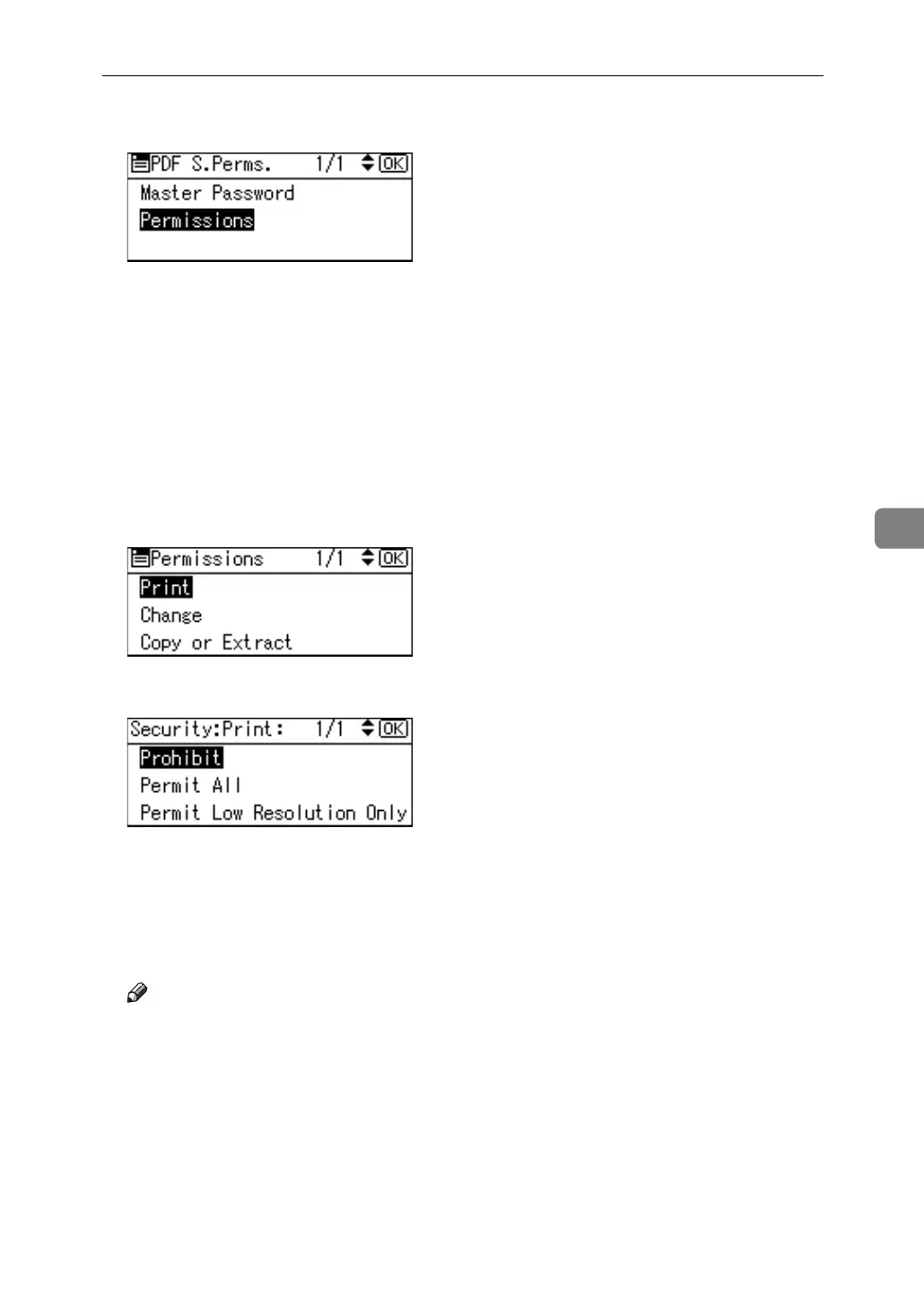
G Select [Permissions], and then press the {OK} key.
H Change the PDF security settings.
You can specify the following security settings:
• Print permission: [Prohibit], [Permit All] and [Permit Low Resolution Only].
• Editing permission: [Prohibit] or [Permit].
• Copying or extracting content permission: [Prohibit] or [Permit].
The following is a procedure to prohibit printing of scanned PDF files.
I Select [Print], and then press the {OK} key.
J Select [Prohibit], and then press the {OK} key.
"Programmed" appears, and then the Permissions screen reappears.
You can apply multiple security settings to a PDF file.
K Press the {Escape} key three times.
The Send Options screen reappears.
Note
❒ The Master Password must be different from the Encryption Password.
❒ You can enter up to 32 alphanumeric characters for a Master Password.
❒ If [40 bit] is selected as the PDF encryption level, you cannot select [Permit
Low Resolution Only] as the print permission.



 To Next Page
 Loading...