EasyManua.ls Logo

Ricoh IM C320F - Loading Orientation-Fixed Paper or Two-Sided Paper; Original Orientation

Ricoh IM C320F
426 pages
Print Icon
To Next Page IconTo Next Page
To Previous Page IconTo Previous Page
Loading...
10. Specifications
364
10
Using the Printer Function
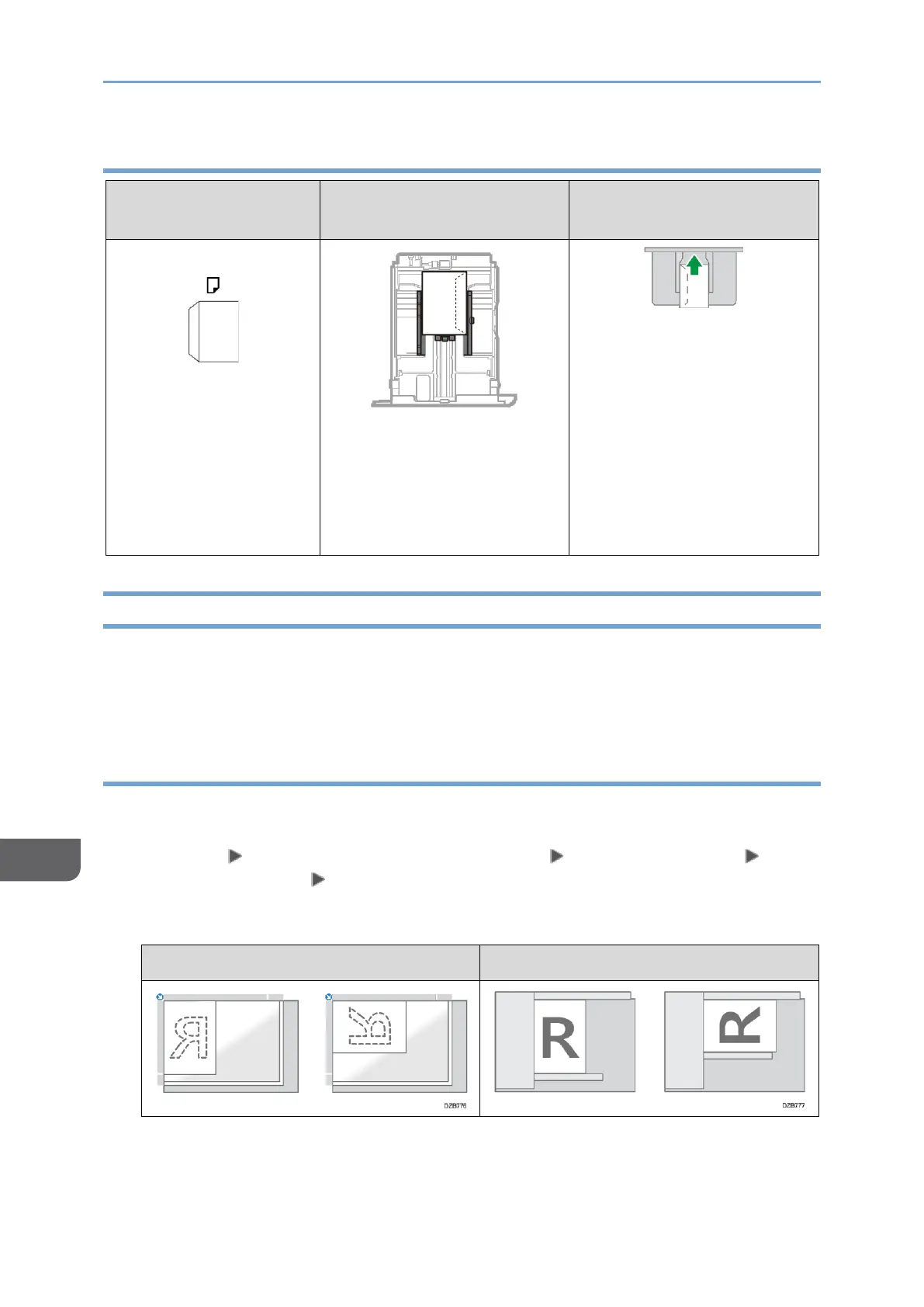
Orientation of
Envelopes
Tray 1
Bypass Tray
Side-opening envelopes
Flaps: closed
Side to be printed: face up
Bottom side of envelopes:
toward the left of the
machine
Flaps: closed
Side to be printed: face up
Bottom side of envelopes:
toward the right of the
machine
Loading Orientation-fixed Paper or Two-sided Paper
To print onto letterhead paper or business letter paper on which logos or patterns are
printed, confirm how to set the paper or the settings of this machine so that the original
is printed onto the orientation-fixed (top to bottom) or two-sided paper correctly.
Copying onto Letterhead Paper
Specify the settings of this machine as described below, and then place an original and
load the paper.
[Settings] [Copier / Document Server Settings] [Paper/Paper Input]
[Letterhead Setting] [Yes]
Original Orientation

Exposure Glass
ADF

Table of Contents

Related product manuals