EasyManua.ls Logo

Ricoh PJ LX3000ST - User Manual

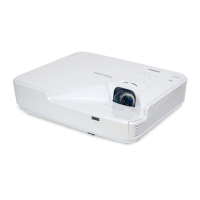
Ricoh PJ LX3000ST
67 pages
Print Icon
To Next Page IconTo Next Page
Loading...
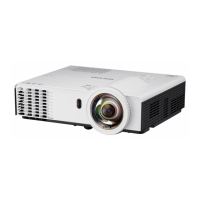
RICOH PJ LX3000ST/LW3000ST Series
RICOH PJ XL4540/WXL4540

Other manuals for Ricoh PJ LX3000ST

Questions and Answers

  • A
    Andrew WheelerAug 16, 2025
    Why is my Notebook or PowerBook computer screen not displaying a presentation on the Ricoh PJ LX3000ST?
    • R
      Richard BrownAug 16, 2025
      Some Notebook PCs may deactivate their own screens when a second display device is in use. Each has a different way to be reactivated. Refer to your computer’s documentation for detailed information.
  • S
    Stephanie RayAug 19, 2025
    What does a flashing red light on my Ricoh PJ LX3000ST Projector mean when powering up?
    • B
      Brittany KingAug 19, 2025
      When the Ricoh Projector is powering up (warming up), the indicator light will flash red every 1.0 second.
  • A
    amanda18Aug 22, 2025
    Why does my Ricoh PJ LX3000ST Projector have no image on the screen?
    • L
      lindseycaitlynAug 22, 2025
      If no image appears on the screen, ensure all the cables and power connections are correctly and securely connected. Also, check that the pins of terminals are not crooked or broken. Make sure you have removed the lens cap and the projector is switched on. Finally, ensure that the 'AV Mute' feature is not turned on.
  • L
    Lisa BurtonAug 25, 2025
    What to do if the Ricoh PJ LX3000ST Projector image is too small or too large?
    • A
      Antonio MarshallAug 26, 2025
      If the image appears too small or too large, try moving the projector closer to or further from the screen. Alternatively, press the 'Aspect' button on the remote control or press the 'Menu' button on the projector panel, go to 'Screen --> Aspect Ratio' and try the different settings.
  • F
    Frederick ContrerasAug 27, 2025
    Why is my Ricoh PJ LX3000ST Projector image unstable or flickering?
    • A
      Alex WileyAug 27, 2025
      If the image is unstable or flickering, try adjusting the 'Phase' or 'Clock'. You can also change the monitor setting from your computer. Finally, check and reconfigure the display mode of your graphic card to make it compatible with the product.
  • X
    xhamiltonAug 30, 2025
    What to do if the Ricoh PJ LX3000ST image is out of focus?
    • J
      Jasmine ConleyAug 30, 2025
      If the image is out of focus, adjust the Focus Ring on the projector lens. Also, make sure the projection screen is between the required distance.
  • D
    dillon97Sep 2, 2025
    What to do if the Ricoh PJ LX3000ST Projector is over temperature?
    • R
      Robert KeySep 2, 2025
      If the projector is overheating, make sure air inlets and outlets are not blocked. Also, ensure the environment temperature is under 40 degrees C.
  • J
    Jeffrey MendozaSep 5, 2025
    Why is the image stretched on my Ricoh PJ LX3000ST Projector when displaying 16:9 DVD?
    • M
      Mary StoneSep 5, 2025
      If the image is stretched when displaying a 16:9 DVD, change 'Aspect' by pressing the key on remote control or OSD menu to show image with proper aspect ratio.
  • J
    Johnny DuncanSep 7, 2025
    Why is the Ricoh PJ LX3000ST image reversed?
    • A
      Amy WongSep 7, 2025
      If the image is reversed, select 'Screen --> Ceiling Mount' from the OSD and adjust the projection direction.
  • J
    Joseph LewisSep 10, 2025
    What to do if the Ricoh PJ LX3000ST displays a partial, scrolling, or incorrectly displayed image?
    • M
      mmartinSep 10, 2025
      If the image is partial, scrolling, or incorrectly displayed, press 'Auto Set' on the remote control. You can also adjust the resolution of the computer. Another option is to press the toggle output settings, for example: [Fn]+[F3].

Ricoh PJ LX3000ST Specifications

General IconGeneral
Resolution1280 x 800 (WXGA)
Lamp Life (Normal)4000 hours
Display TechnologyDLP
Zoom Ratio1.2x
Speakers10 W
Projection Size30 - 300 inches
Power Consumption (Normal mode)310 W
Power Consumption (Eco mode)220 W
Noise Level (Eco mode)28 dB
Max Resolution1920 x 1200
InputsHDMI, VGA
Keystone CorrectionVertical ±40°

Related product manuals