EasyManua.ls Logo

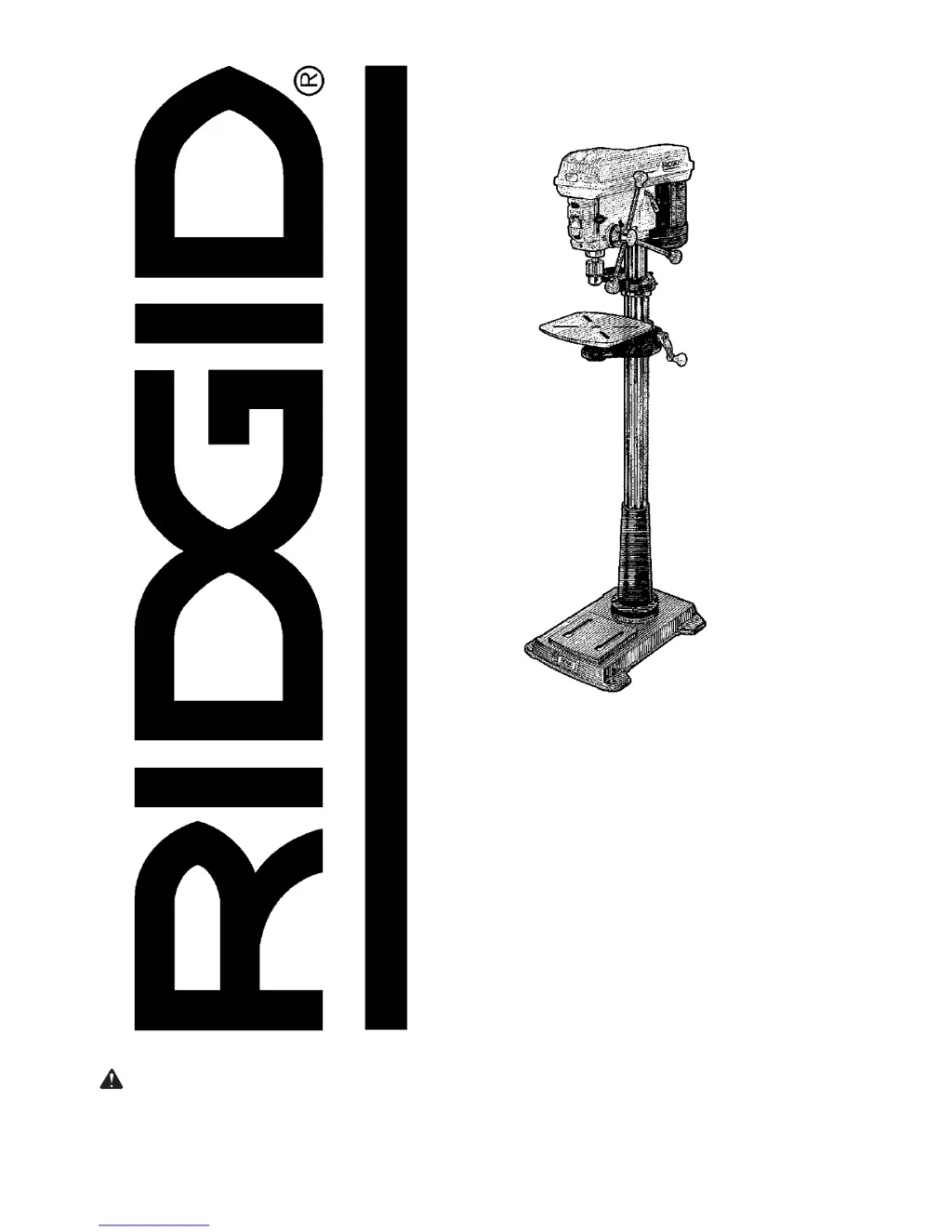
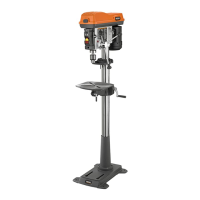
RIDGID DP15501 - User Manual

RIDGID DP15501
40 pages
Print Icon
To Next Page IconTo Next Page
Loading...
SAVE THIS MANUAL FOR
FUTURE REFERENCE
,1&+)/225
02'(/'5,//35(66
Part No. SP6490 Printed in China
'3
23(5$725·60$18$/
WARNING: To reduce the risk of
injury, the user must read and under-
stand the operator’s manual before
using this product.

Table of Contents

Questions and Answers

  • O
    obrienmichaelSep 10, 2025
    How to fix excessive drill bit runout or wobble in RIDGID Drill?
    • S
      Sean JohnsonSep 10, 2025
      Excessive drill bit runout or wobble in your RIDGID Drill can be due to a bent drill bit, worn spindle bearings, the drill bit not properly installed in the chuck, or the chuck not properly installed. Use a straight drill bit, replace the bearings, and ensure the drill bit and chuck are properly installed.
  • J
    Jennifer LeeAug 22, 2025
    How to fix noisy operation of RIDGID DP15501 Drill?
    • J
      Joshua PerryAug 22, 2025
      Noisy operation in your RIDGID Drill can stem from several issues. The belt tension might be incorrect; adjust it. The spindle could be dry; lubricate it. Check if the spindle pulley is loose and tighten the retaining nut if needed. Also, ensure the motor pulley is secure by tightening the set screws in the pulleys.
  • F
    Fred MccannAug 25, 2025
    What to do if RIDGID DP15501's chuck rotates but lacks torque?
    • C
      Cody YangAug 25, 2025
      If the chuck on your RIDGID Drill rotates but doesn't provide enough torque, several things could be wrong. The drill bit might be bent, so use a straight one. The spindle bearings could be worn, requiring replacement. Make sure the drill bit is properly installed in the chuck. Also, verify that the chuck itself is correctly installed.
  • M
    Mary MartinezAug 26, 2025
    Why is the RIDGID Drill bit leading off and the hole not round?
    • C
      Carrie JonesAug 26, 2025
      If your RIDGID Drill bit leads off and the hole isn't round, it could be due to a hard grain in the wood, unequal cutting lip lengths, or incorrect angles. Resharpen the drill bit correctly or replace it. Another possibility is a bent drill bit, in which case you should replace it.
  • A
    Anne LewisAug 27, 2025
    What to do if workpiece tears loose from hand using RIDGID DP15501?
    • J
      John Soto MDAug 28, 2025
      If the workpiece is being torn loose from your hand while using the RIDGID Drill, it's likely not supported or clamped properly. Ensure you support or clamp the workpiece securely.
  • J
    Jacqueline HamiltonAug 29, 2025
    Why does the RIDGID DP15501 Drill bit bind in the workpiece?
    • T
      Tyler CooperAug 29, 2025
      If the drill bit binds in the workpiece when using your RIDGID Drill, it may be due to the workpiece pinching the drill bit or excessive feed pressure. Support or clamp the workpiece properly.
  • D
    Donna BeckerSep 18, 2025
    How to adjust quill return speed on RIDGID DP15501 Drill?
    • J
      John WrightSep 18, 2025
      If the quill on your RIDGID Drill returns too slow or too fast, the spring likely has improper tension. Adjust the spring tension.
  • L
    Lee DaySep 12, 2025
    What to do if RIDGID Drill chuck rotates but does not deliver sufficient torque?
    • J
      James MooreSep 12, 2025
      If the chuck of your RIDGID Drill rotates but doesn't deliver sufficient torque, the spindle pulley nut (part no. 821742) may be loose. Turn the nut counterclockwise to tighten it. Note that the nut has a left-hand thread.
  • F
    fmarquezSep 8, 2025
    Why does my RIDGID Drill bit bind in workpiece?
    • P
      Patrick DavisSep 8, 2025
      The drill bit of your RIDGID Drill might be binding in the workpiece because the workpiece is pinching the drill bit, there is excessive feed pressure, or the belt tension is improper. You should support or clamp the workpiece and adjust the belt tension.
  • A
    alvaradolisaSep 5, 2025
    How to tighten loose spindle pulley nut on RIDGID DP15501 Drill?
    • M
      Michael BlackburnSep 5, 2025
      If the spindle pulley nut (part no. 821742) is loose on your RIDGID Drill, turn the nut counterclockwise to tighten it. Note that the nut has left-hand threads.

Summary

Before Using The Drill Press

When Installing Or Moving The Drill Press

Motor Safety Protection

Unpacking and Checking Contents

Location and Function of Controls

Assembly

Pulley Alignment and Speed Adjustment

Covers checking pulley alignment and adjusting belt speed.

Installing the Drill Chuck

Steps for correctly mounting the drill chuck onto the spindle.

Adjusting the Table Square To Head

Converting From Right Hand Operation to Left Hand Operation

Quill Return Spring

Getting To Know Your Drill Press

Spindle Speed in R.P.M.

Lists spindle speeds (RPM) achievable by changing belt positions.

Drilling to a Specific Depth

Another Way - Depth Scale

Locking Chuck at Desired Depth

Removing Chuck and Arbor

Safety Instructions for Basic Drill Press Operation

Plan Ahead To Protect Your Eyes, Hands, Face and Ears

Safety guidelines for personal protective equipment and planning work.

Plan Your Work

Advice on proper tool usage, maintenance, and workpiece support.

Use Only Recommended Accessories

When Cutting Large Diameter Holes

Safety tips for cutting large holes, including clamping and speed.

Avoid Specific Cutting Tools

Warnings against using specific types of cutting tools like wire wheels or fly cutters.

Basic Drill Press Operation

Installing Drills

Instructions on how to properly insert and secure a drill bit into the chuck.

Tilting Table

How to tilt the table for bevel operations and return to 0°.

Positioning Table and Workpiece

Maintenance

Troubleshooting

RIDGID DP15501 Specifications

General IconGeneral
ModelDP15501
TypeDrill Press
Motor Power1/2 HP
Chuck Size5/8 in.
Table Size12-1/2 in. x 10-1/2 in.
Weight152 lbs.
Voltage120V
Swing15 inches
Table Tilt45 degrees

Related product manuals