EasyManua.ls Logo

RIDGID SeeSnake Micro - Troubleshooting; Image Display Problems; LED and Power Issues

RIDGID SeeSnake Micro
10 pages
Print Icon
To Previous Page IconTo Previous Page
Loading...
SeeSnake micro
Inspection Camera
Ridge Tool Company
8
SYMPTOM POSSIBLE REASON SOLUTION
Display turns ON, but
does not show image.
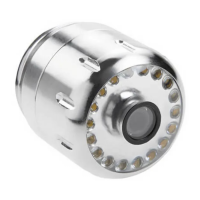
LEDs on imager head
are dim at max bright-
ness, display switches
between black and
white, color display
turns itself OFF after a
brief period.
Unit will not turn ON.
Troubleshooting
Loose cable connections.
Imager head covered by debris.
Batteries low on power.
Dead batteries.
Check cable connections, clean if re-
quired. Re-attach.
Visually inspect imager head to make
certain it is not covered by debris.
Replace batteries.
Replace batteries.
Test Equipment Depot - 800.517.8431 - 99 Washington Street Melrose, MA 02176
FAX 781.665.0780 - TestEquipmentDepot.com

Other manuals for RIDGID SeeSnake Micro

Related product manuals