Start-up, calibration and operation of the burner
29
20051011
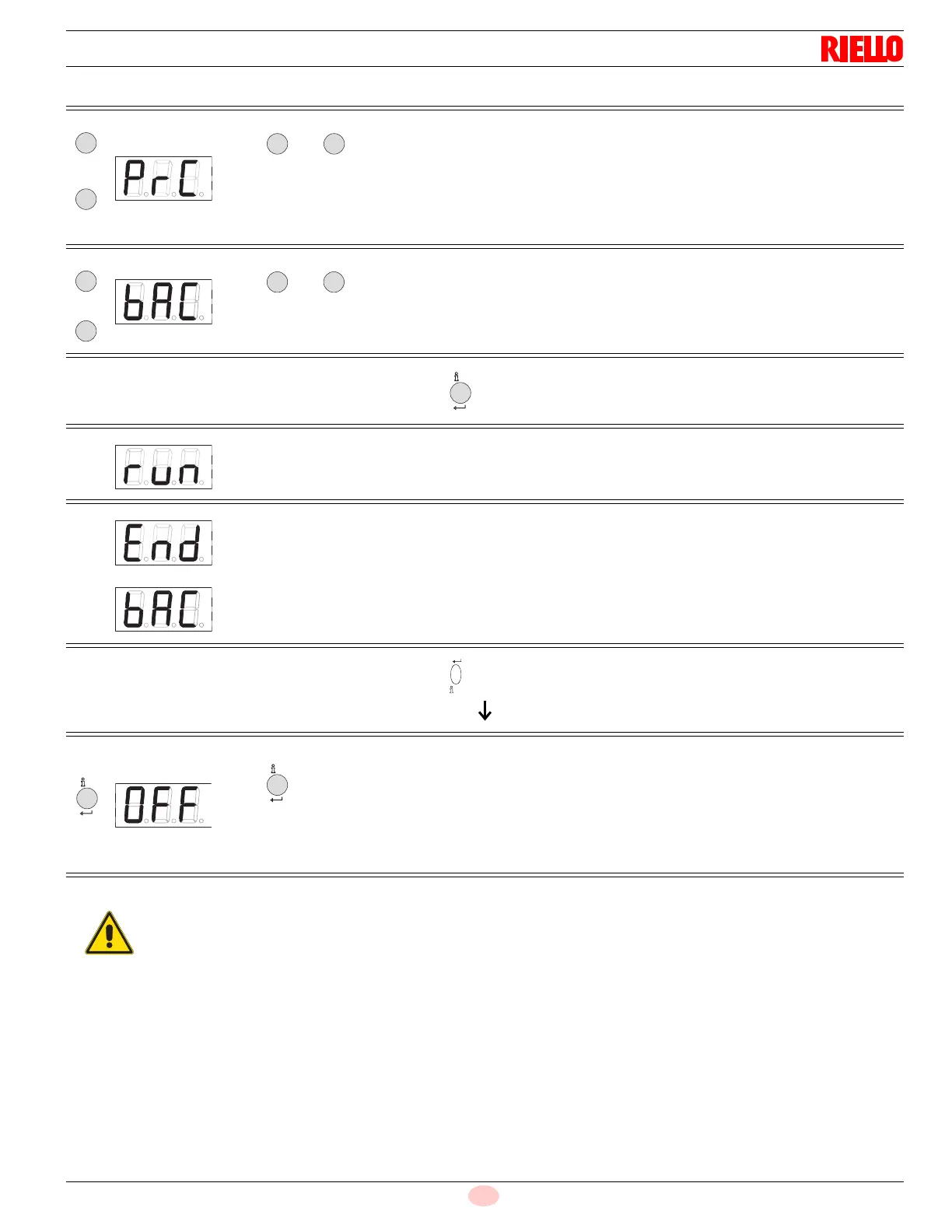
Manual backup
Tab. N
Press and simultaneously for >1 second (Escape) to start a manual backup process.Parameter PrC
appears.
Display: PrC
Press and for parameter bAC.
Display: bAC
Run appears during download (backup process) of the program sequence.
Display shows alternately End and bAC.
Display shows the end of data exchange.
Display appears for 2 minutes or can be finished by pressing
When the backup process is completed, the display shows OFF.
Press for >1 second to reset the unit.
Display: OFF
- +
-
nfo
If any parameters are changed, a backup must be
made!






 To Next Page