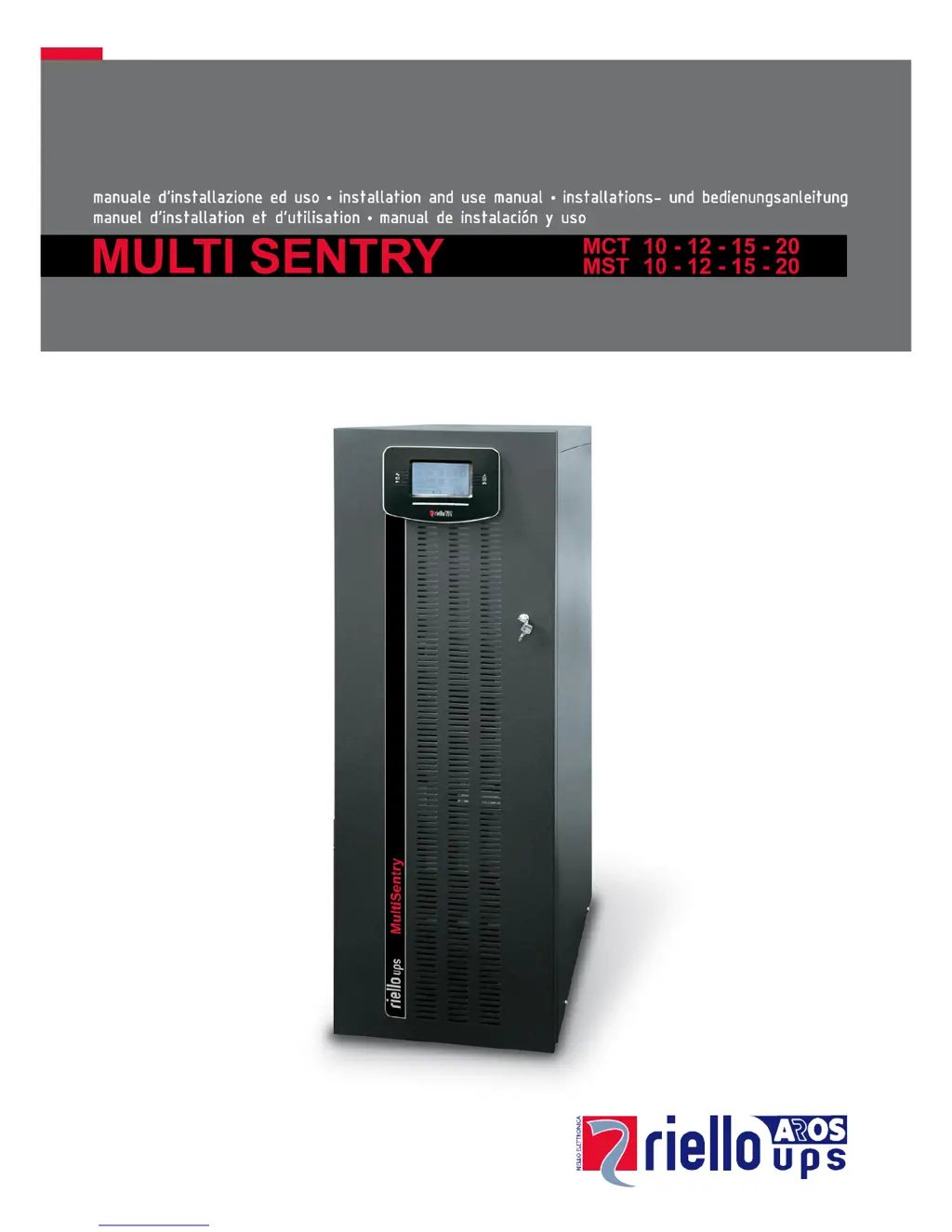
What does the S06 code on my Riello MCT 20 display mean?
- TTeresa AndersonAug 27, 2025
This issue occurs because of discharged batteries. You should wait for the batteries to recharge, or you can force power on from the System On menu.
What does the S06 code on my Riello MCT 20 display mean?
This issue occurs because of discharged batteries. You should wait for the batteries to recharge, or you can force power on from the System On menu.
What does it mean when my Riello UPS display shows codes L26, L27, or L28?
This indicates a short circuit at the output of the Riello UPS. To resolve this: 1. Power off the UPS. 2. Disconnect all devices connected to the affected phase. 3. Power the UPS on again. 4. Reconnect the devices one by one to identify the faulty device.
What to do if my Riello UPS displays codes A22, A23, A24, F23, L23, L24, or L25?
This can happen if the load applied to the Riello UPS is too high. Reduce the load to below the 100% threshold, or the user threshold if the codes A22, A23, or A24 are displayed.
Company's environmental commitment and materials used in product manufacturing.
Guidelines for proper disposal of UPS components and materials.
General introduction to the Multi Sentry UPS series and its capabilities.
Visual identification of MCT model components and connection points.
Visual identification of MST model components and connection points.
Diagrams and descriptions of UPS connection terminals and ports.
Identification of control panel elements, displays, and indicators.
Information regarding the optional battery extension unit for increased autonomy.
Details on the DI version featuring a separate bypass input line.
Details on the OT version equipped with an isolation transformer.
Details on the AC version with extra internal battery chargers.
Recommended conditions for storing the UPS and battery box to maintain integrity.
Preliminary information and checks required before commencing UPS installation.
Product compliance with EMC regulations and user recommendations.
Guidelines for selecting an appropriate installation site for the UPS.
Location and function of the cold start button.
Location and function of the manual bypass switch.
Location and function of the battery fuse holder.
Location and function of the output switch.
Location and function of the optional separate bypass switch.
Location and function of the input switch.
Identification of the terminal cover panel location.
Location and function of the brake rod.
Location of expansion slots for communication cards.
Description of the available communication ports.
Details on the powershare sockets and their protection.
Location of the ventilation fans for cooling.
Location of the optional parallel PCB.
Location and function of the main power switch.
Location and function of the cold start button.
Location and function of the manual bypass switch.
Location and function of the battery fuse holder.
Location and function of the output switch.
Location and function of the optional separate bypass switch.
Location and function of the input switch.
Identification of the terminal cover panel location.
Location and function of the brake rod.
Location of expansion slots for communication cards.
Description of the available communication ports.
Details on the powershare sockets and their protection.
Location of the ventilation fans for cooling.
Location of the optional parallel PCB.
Location and function of the R.E.P.O. connection terminal.
Description of the R.E.P.O. command connection point.
Identification of power connection terminals.
Description of the remote maintenance bypass connection.
Description of the external battery box temperature probe connection.
Description of the external synchronization signal connection.
Description of the slot for the power relay board.
Description of the main graphic display area.
Explanation of how function keys are used.
Description of left-side LEDs and their meanings.
Description of right-side LEDs and their meanings.
Recommended conditions for storing the UPS and battery box.
Preliminary information and checks before UPS installation.
Product compliance with EMC regulations and recommendations.
Guidelines for selecting an appropriate installation site for the UPS.
Key considerations for installing the UPS and battery box.
Procedure to access UPS/Battery box terminal connections.
Diagrams illustrating electrical system connection configurations.
Recommendations for magnetothermal switch installation.
Guidelines for differential switch (RCD) installation and characteristics.
Instructions for connecting input, output, and battery cables.
Description of the remote emergency power off function and connection.
Details on synchronizing the inverter output with an external signal.
Steps to safely power off the UPS before connecting the battery box.
Procedure for connecting the battery box cables to the UPS.
Verification steps after connecting the battery box to ensure proper function.
How to configure UPS for extended battery capacity using software.
General description of the UPS functionality and purpose.
Verifying all connections are made correctly as per manual.
Instruction to close the battery fuse holders.
Steps to initiate the UPS power-on sequence.
Instruction to close the input and output isolators.
Area showing date, time, page number, or menu title.
Main area for viewing measurements and accessing menus.
Area indicating UPS operating status and error/fault codes.
Area mapping function keys to displayed options.
Steps for performing maintenance without interrupting load power.
Selects the rated output frequency.
Selects the nominal output voltage.
Selects one of the available operating modes.
Automatically switches off UPS in battery operation at low load.
Sets the maximum battery operation time.
Sets the estimated autonomy time left for low battery warning.
Sets the interval for the automatic battery test.
Selects the user overload limit.
Selects the operating mode of the sound alarm.
Selects the operating mode of the auxiliary socket.
Sets the installed battery Ah capacity.
Selects the language for the display.
Sets the current date and time.
Allowed input frequency range for bypass and synchronization.
Voltage range allowed for switching to bypass.
Voltage range allowed for ECO mode operation.
Selects activation sensitivity during ECO mode.
Configures load power supply in stand-by mode.
Selects the bypass line operating mode.
Selects the synchronization source for the inverter output.
Waiting time for automatic restart after mains restoration.
Enables gradual return to mains power.
Sets the duration of the gradual return to mains power.
Selects synchronization speed between inverter and bypass.
Enables reading of the external temperature probe.
Disables UPS settings from the display panel.
Disables UPS controls from the display panel.
Pinout and specifications for RS232 and USB connectors.
Available expansion slots for communication boards.
Using PowerShield³ for UPS monitoring and control.
Using special software to configure UPS parameters.
Solutions for UPS failing to enter stand-by mode.
Troubleshooting steps when the load is not powered.
Diagnosing UPS operating on battery with mains present.
Solution for C01 error related to R.E.P.O. jumper.
Solution for C02 error when bypass isolator is closed.
Troubleshooting start-up failures indicated by A30, A32-A34 codes.
Solutions for F09, F10 errors indicating phase voltage imbalance.
Troubleshooting faulty loads or internal stage problems (F11, F14-F22).
Solutions for F03-F05, A08-A10 errors related to phase connections or relays.
Troubleshooting battery fuse problems indicated by F42-F44, L42-L44.
Solutions for bypass protective device faults (A13-A15).
Troubleshooting battery charger faults indicated by F19, F20.
Solutions for battery fuse or isolator problems (A26, A27).
Action for S06 code indicating discharged batteries.
Troubleshooting input relay locked errors (F06-F08).
Solutions for temperature or cooling system faults (L01, L10, L38-L41).
Addressing high load conditions indicated by A22-A25, F23, L23-L25.
Procedure for output short circuit errors (L26-L28).
Action for A39, A40 codes indicating battery efficiency test failure.
Solutions for overheating due to environment or blocked vents (F34-F36, L34-L36).
Troubleshooting temperature probe or cooling system faults (F37, L37).
Solutions for static bypass malfunction indicated by L11-L13.
Troubleshooting display problems with no or incorrect information.
Actions for faults causing display/fan shutdown while load is powered.
List and descriptions of UPS status codes.
List and descriptions of UPS command activation codes.
List and descriptions of UPS warning codes.
| Technology | Double Conversion Online |
|---|---|
| Input Voltage | 400 V (3Ph+N) |
| Input Frequency | 50/60 Hz |
| Output Voltage | 400 V (3Ph+N) |
| Output Frequency | 50/60 Hz |
| Topology | Double Conversion Online |
| Battery Type | Sealed lead-acid, maintenance-free |
| Communication Interface | RS232, USB, dry contacts |
| Operating Temperature | 0 °C to +40 °C |
| Typical Backup Time | Dependent on battery configuration (external battery cabinet required) |