39
20163082
Start-up, calibration and operation of the burner
6.10 Backup / Restore procedure
At the end of the “Start-up procedure” it is wise to carry out a
backup, creating a copy of the data memorised on the REC, in
the RDI 21 display panel.
This will allow the data to be used for programming a new REC
or to return to the memorised settings of the same REC.
6.10.1 Backup
To perform the backup, proceed as follows:
access the Parameters Level referring to Access procedure
with password.
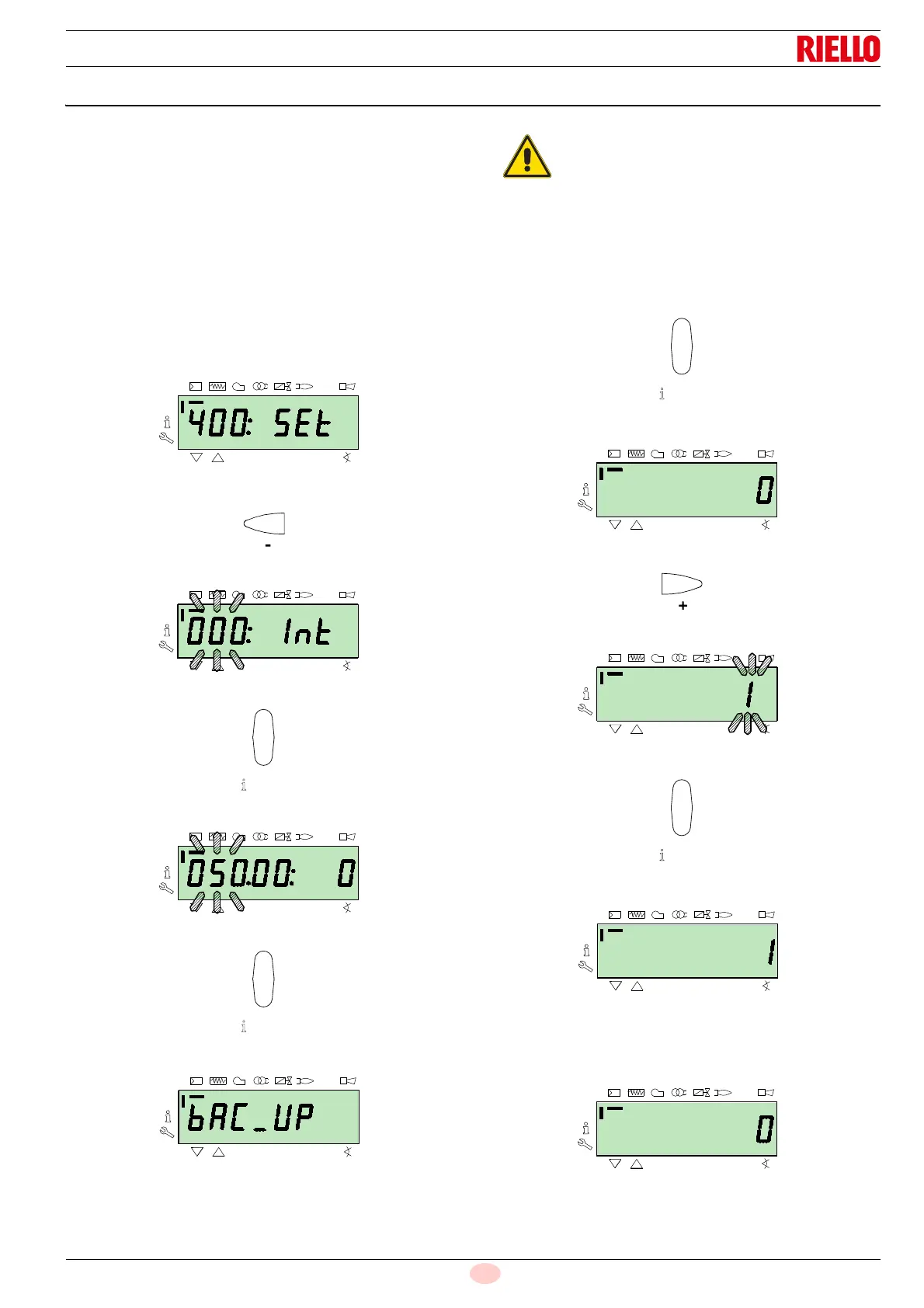
The display screen displays the parameters group 400.
With the key “-”:
Select the parameters group 000:
The 000 parameter blinks, confirm using the “i/reset” key:
The display screen shows parameter 050 blinking:
Confirm with the key “i/reset”:
The parameter bAC_UP appears on the display screen:
confirm with the key “i/reset”:
The display screen shows the following value:
Use the button “+”:
The value will be set to 1. Value 1 is flashing:
confirm with the button “i/reset” to activate the backup process.
The value 1 appears on the display screen:
After approx 5 seconds (it depends on the duration of the pro-
gramme), the 0 value appears on the display screen, this is to in-
dicate that the backup process has been completed correctly.
We suggest that this operation be carried out at
the end of any intervention that involves modifica-
tions to what has been set on the cam.
This will allow you to carry out a restore in a simple
manner on a new cam supplied as a replacement
part, without having to reprogramme the system.



 To Next Page