14
MEASUREMENT DISPLAY AREA
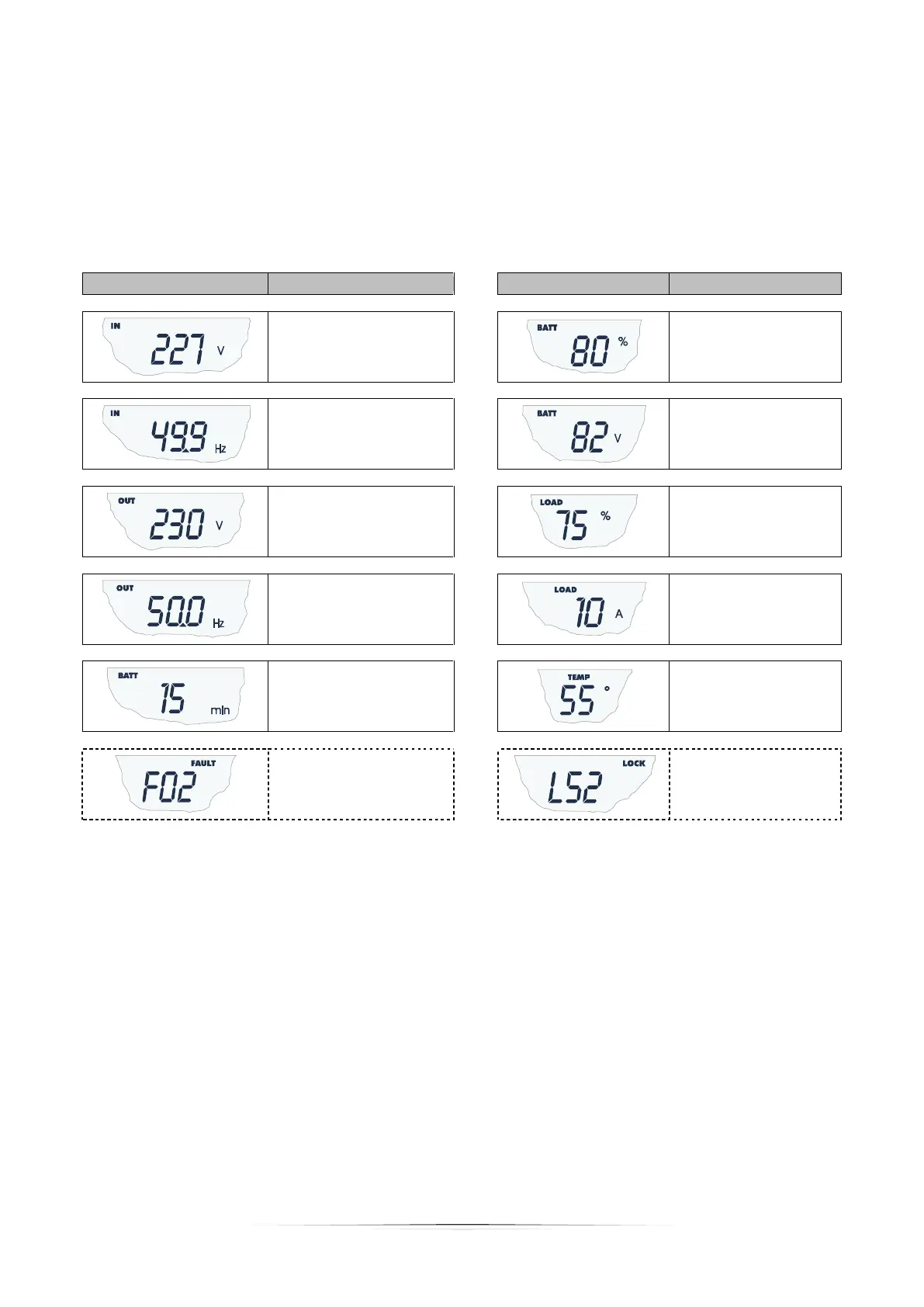
It is possible to display the most important measurements regarding the UPS in sequence on the display.
When the UPS is switched-on, the display shows the main voltage value.
To display a different measurement, press the “SEL” button repeatedly until the desired measurement appears.
In the event of a fault/alarm (FAULT) or a lock (LOCK), the display will automatically show the type and code of the
corresponding alarm.
Some examples are shown below:
Battery charge
percentage
Current absorbed by the
load
Residual battery autonomy
Temperature of the
electronics cooling
system inside the UPS
Fault / Alarm
(2)
: the
corresponding code is
displayed
Lock
(2)
: the
corresponding code is
displayed
(1)
The values shown in the images in the table are purely as an indication.
(2)
The FAULT / LOCK codes can only be displayed if they are active (presence of a fault/alarm or a lock).






 To Next Page