8
4.4.1. SWR mode
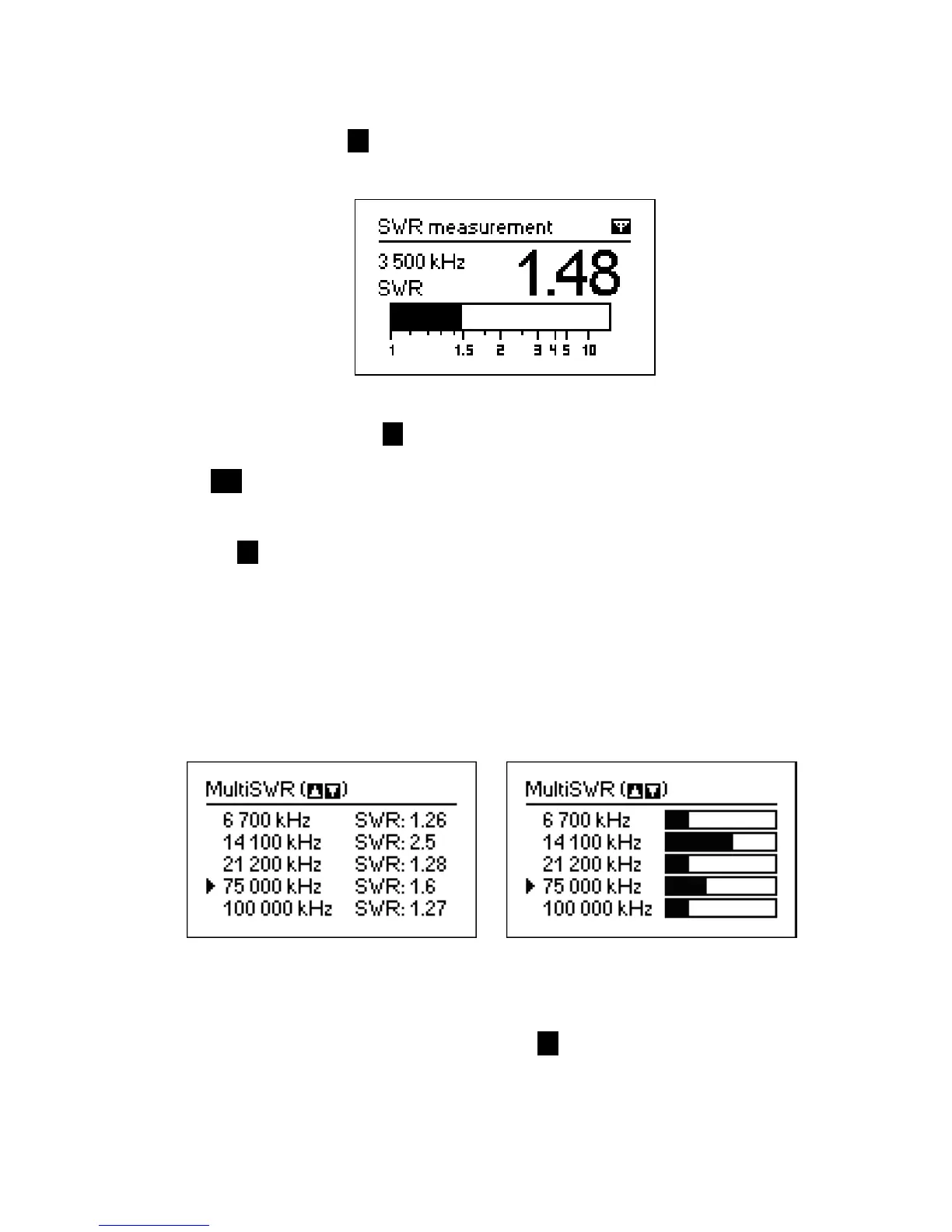
The SWR mode (press the 7 key in the Main menu) displays the SWR bar as well as
the numerical value of this parameter:
Set the desired frequency (the 2 key) or change it with left or right arrow keys.
Press the ok key to start or stop measurement. The flashing antenna icon in the top-
right corner indicates when the measurement is started.
Pressing the 1 key will show a list of other commands.
4.4.2. MultiSWR mode (AA-54 only)
RigExpert AA-54 has an ability to display SWR for up to five different frequencies at a
time.
Numerical display Bars
You may use this feature to tune multi-band antennas. Use up and down cursor keys to
select a frequency to be set or changed. Press the 0 key to switch between SWR bars
and numerical representation of this parameter.













 To Next Page