9
4.4.3. “Show all” mode
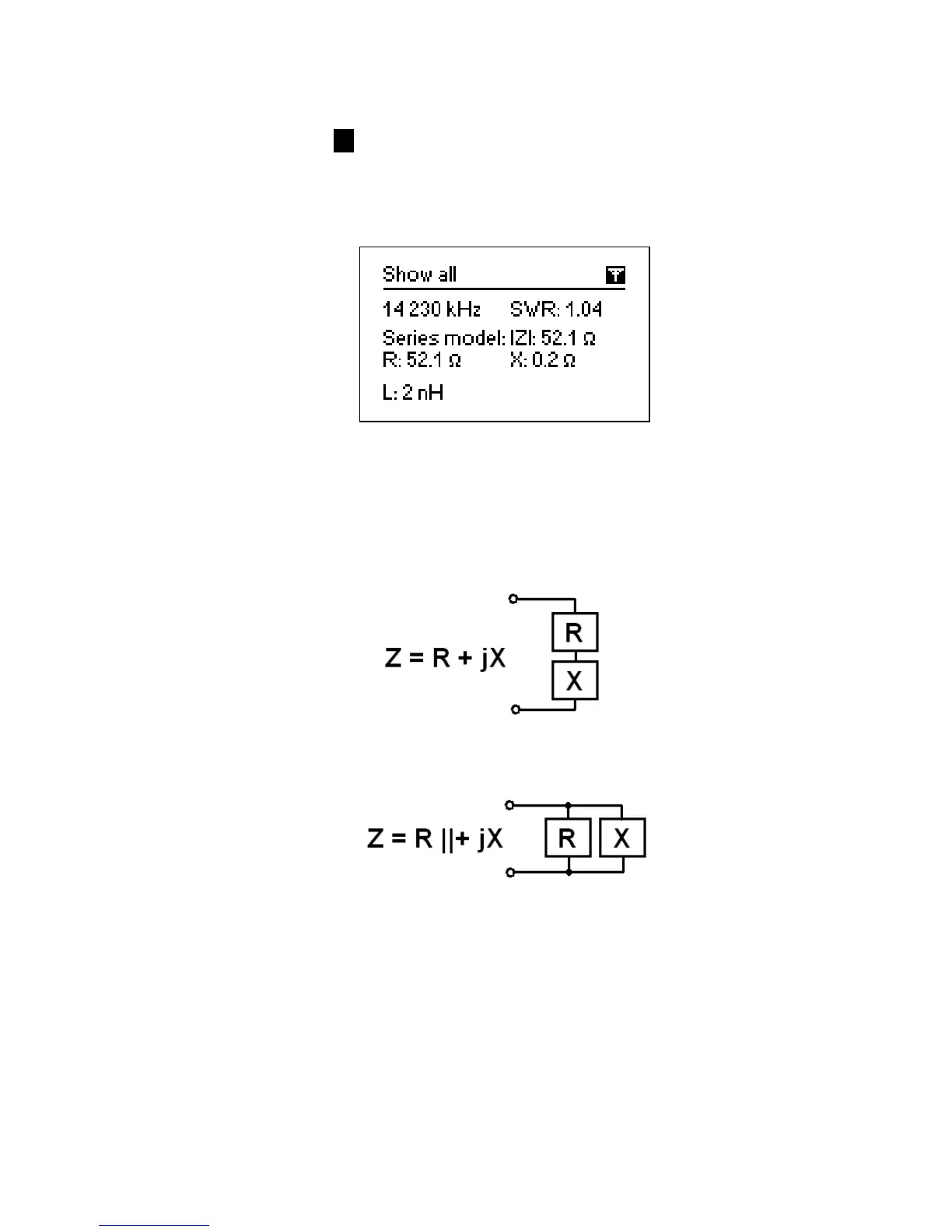
The Show all mode (the 8 key) will show various parameters of a load on a single
screen. Particularly, SWR, |Z| (magnitude of impedance) as well as its active (R) and
reactive (X) components are shown. Additionally, corresponding values of inductance
(L) or capacitance (C) are displayed:
For this mode, you may choose either series or parallel model of impedance of a load
through the Settings menu:
• In the series model, impedance is expressed as resistance and reactance
connected in series:
• In the parallel model, impedance is expressed as resistance and reactance
connected in parallel:
4.5. Graph modes
A key feature of RigExpert antenna analyzers is ability to display various parameters of
a load graphically. Graphs are especially useful to view the behavior of these
parameters over the specified frequency band.













 To Next Page