oscilloscope is 100-240 V, 45-440 Hz. Use the power cord
provided with the accessories to connect the instrument to AC
power. Then, you can press the power key at the front panel
to start the instrument.
Front Panel Function Overview
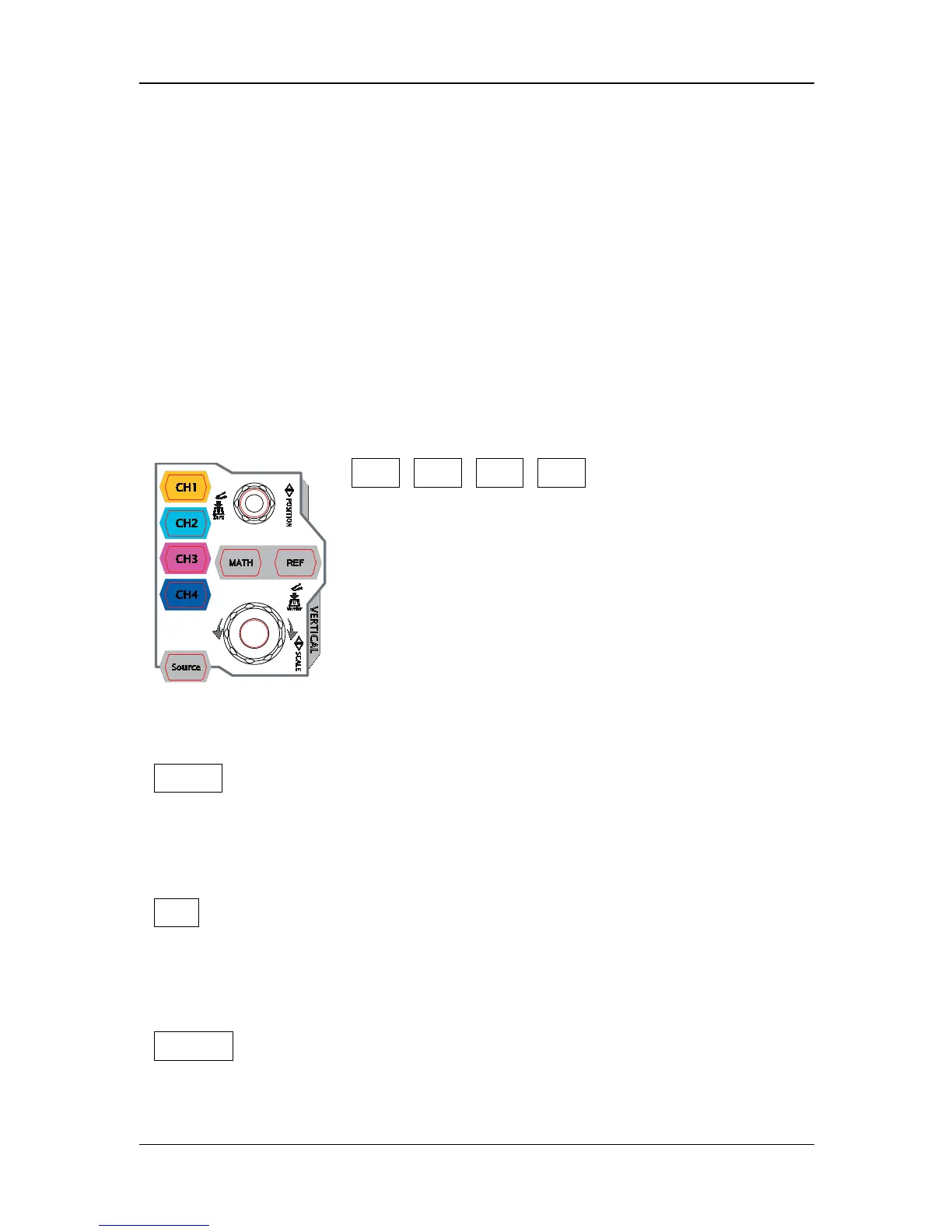
VERTICAL
CH1, CH2, CH3, CH4: analog input
channels. The 4 channels are marked by
different colors which are also used to mark
both the corresponding waveforms on the
screen and the channel input connectors.
Press any key to open the corresponding
channel menu and press again to turn off the
channel.
MATH: press this key to open the math operation menu under
which add, subtract, multiply, divide, FFT, A&&B, A||B, A^B, !A,
intg, diff, sqrt, lg, ln, exp and abs are provided.
REF: press this key to enable the reference waveform function to
compare the waveform actually tested with the reference
waveform.
Source: press this key to enter the source setting interface. You
can turn on or off the outputs of the [Source1] and [Source2]


 To Next Page
 Loading...







