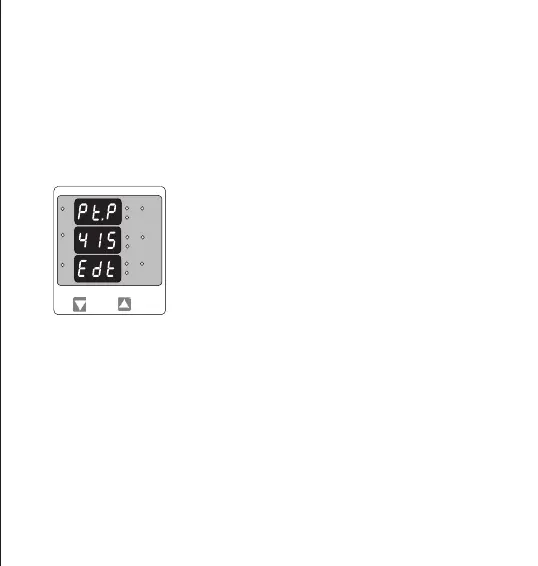
Note : The ashing decimal point indicates the cursor position, a steady decimal point will be present
to identify the scaling of the number until the cursor position coincides with the steady decimal point
position. At this stage the decimal point will ash.
When the least signicant digit has been set, pressing the “UP” key will advance to the “Potential
transformer Primary Value Conrmation” stage.
Potential Transformer Primary Digit Edit
Pressing the “DOWN” key will scroll the value of the most signicant digit
from 0 to 9 unless the presently displayed Potential Transformer Primary
value is less than 799 kilovolts in that case the digit range will be
restricted.
Pressing the “UP” key accepts the present value at the cursor position
and advances the cursor to the next Less signicant digit.
Initially the PT value must be selected pressing the “DOWN” key will move the decimal point position
to the right side until it reaches # # #. after which it will return to #. # # with x1000 annunciation.
Pressing the “UP” key accepts the present multiplier (Decimal Point position ) with x1000 annunciation
and advances to the “Potential Transformer Primary Digit Edit” Screen.
Note : PT Values must be set as Line to Line Voltage for Primary as well as Secondary for all
system types (3P3W/3P4W/1P2W).
*
L3-L1
L2-L3
Hz
x1000
L1-L2
Volt
x1000
L3
L1
L2
A
x1000
10


 To Next Page