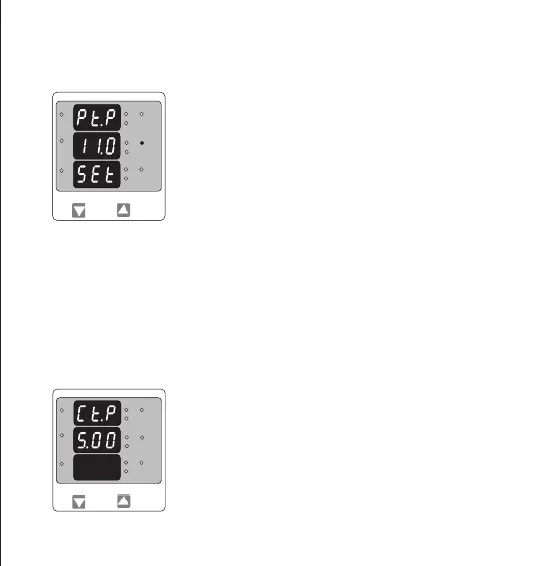
Screen showing display of 11.0 k VL-L i.e. 11000 Volts Line to Line indicating steady decimal point
and cursor ashing at the “hundreds of volts” position as shown below.
Pressing the “DOWN” key will enter the “Current Transformer Primary
Value Edit” mode. Pressing the “UP” key will accept the present value
And Advances to the “Potential Transformer Secondary Value edit screen
(See section 3.2.4).
Further functionality is same as per Potential Transformer Primary
Value (section 3.2.2 ).
3.2.3. Current Transformer Primary Value
The nominal full Scale Current that will be displayed as the Line currents. This
screen enables the user to display the Line currents inclusive of any current
transformer ratios, the values displayed represent the Current in Amps or in kAmps
when x1000 led is glows.
Pressing the “UP” key sets the displayed value and will advance to the Current
Transformer Primary Value. (See section 3.2.3.)
Potential Transformer Primary Value Conrmation
This screen will only appear following an edit of the
Potential Transformer Primary Value.
If the set value is to be corrected, pressing the “DOWN” key
will return to the “Potential Transformer Primary value Edit”
stage.
L3-L1
L2-L3
Hz
x1000
L1-L2
Volt
x1000
L3
L1
L2
A
x1000
L3-L1
L2-L3
Hz
x1000
L1-L2
Volt
x1000
L3
L1
L2
A
x1000
11


 To Next Page