5
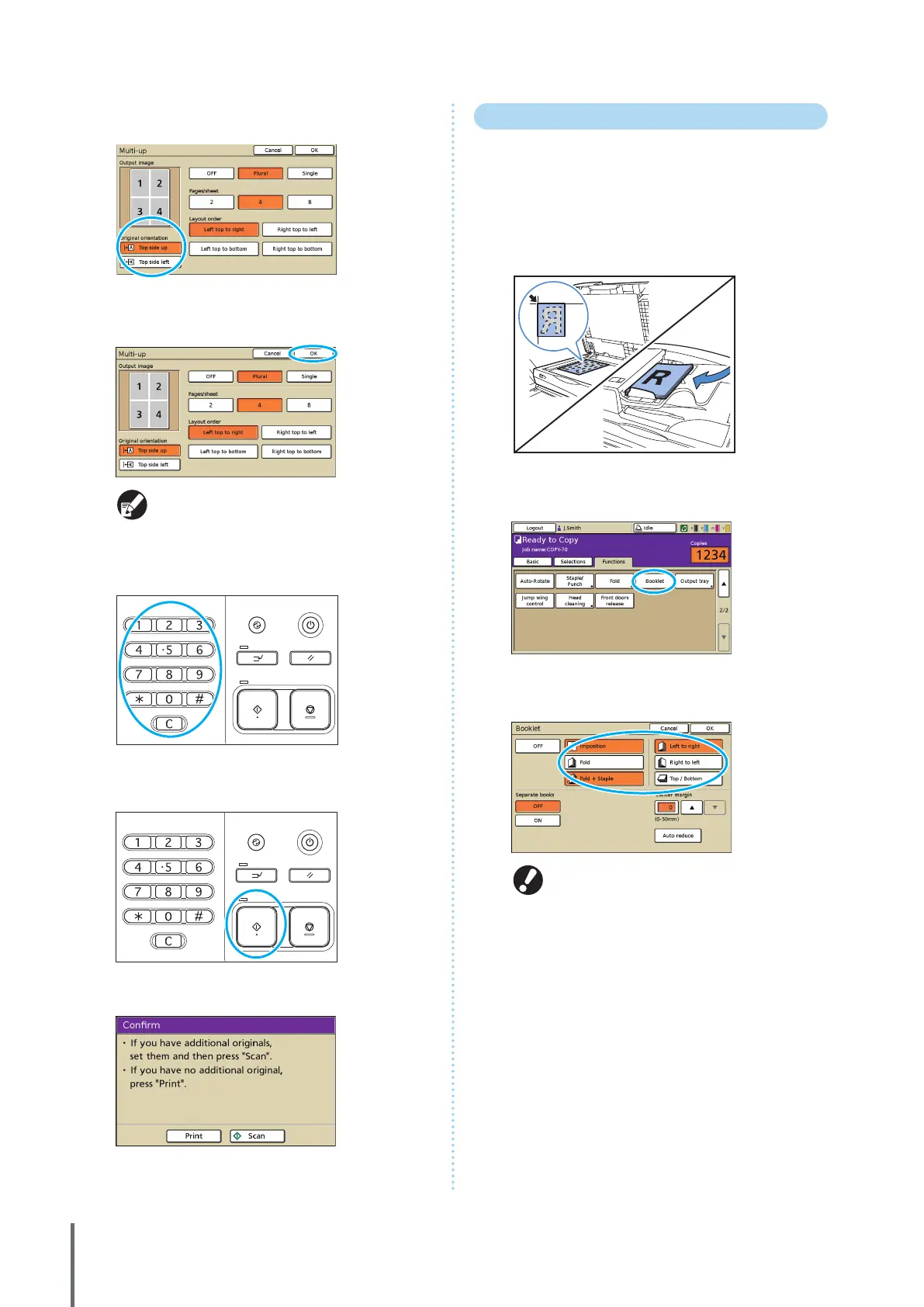
Complete the [Original orientation] setting.
6
Press [OK].
Complete other copy settings as needed.
7
Enter the number of copies.
Use the numeric keys for input.
8
Press the [START] key.
When you are using the platen glass, a conrmation message
may be displayed regarding scanning the next original.
Load the next original and press [Scan]. After all originals are
scanned, press [Print].
Creating Booklets
Automatically arrange pages on copies to create booklets
as follows.
When you have connected an optional multifunction
nisher, you can also specify stapling and folding.
1
Load the original.
Load the original on the platen glass or in the ADF.
2
On the [Functions] screen, press [Booklet].
3
Specify the type of booklet and how pages are
turned.
[Fold] and [Fold + Staple] are not displayed unless
you have connected an optional multifunction
nisher.
ComColor Series Basic Guide 02



 To Next Page