Advanced Features
Automatic Sorting Into Groups [Programme]
141
Renaming a Programme
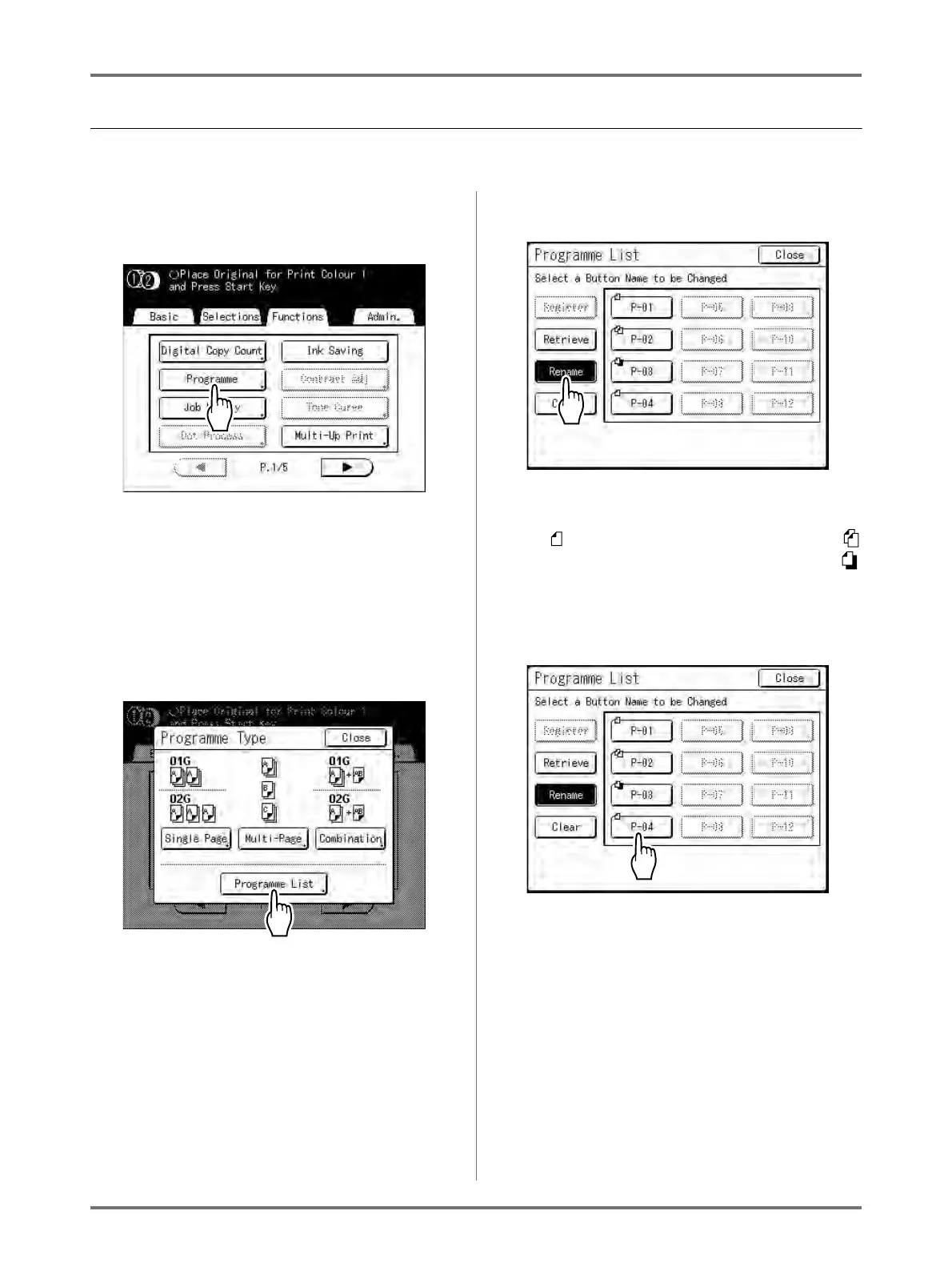
Programme names can be changed to better describe their usage or purpose.
1
Touch [Programme] on the Func-
tions screen.
Note:
• If [Programme] is already highlighted, touching
it will again display the Programme screen, and
not the Rename a Programme screen.
Touch [Cancel Job] then [OK] to return to
Functions screen. Touch [Programme] again.
2
Touch [Programme List].
3
Touch [Rename].
Note:
• Each Programme button has an icon on top left.
indicates Single Page Mode Programme,
indicates Multi-Page Mode Programme and
indicates Combination Print.
4
Select a programme to rename.



 To Next Page