Advanced Features
Using Job Memory Functions [Job Memory]
157
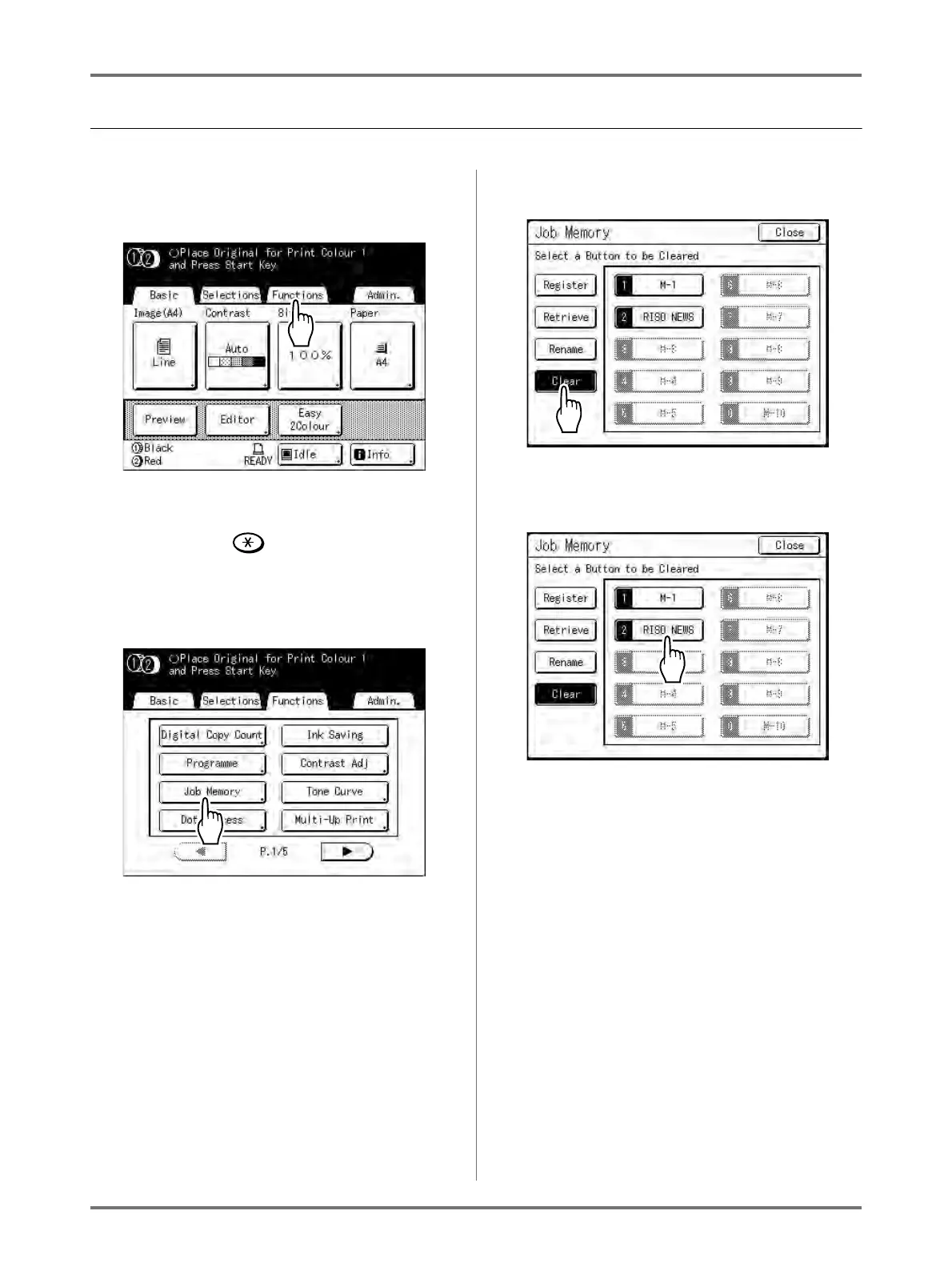
Clearing Job Memory
1
Touch [Functions] on the Master
Making Basic Screen.
Note:
• Job Memory screen can also be invoked by
pressing the key on the Print Quantity
Keys. Skip to step 3.
2
Touch [Job Memory].
3
Touch [Clear].
4
Select a Job Memory to delete.
Important!:
• Make sure it is the job setting you want to
delete.
• This operation cannot be undone.
• Once deleted, it cannot be restored.



 To Next Page