Storage and Scan Modes (Option)
Converting Hard-copy to Stored Data (Scan Mode)
202
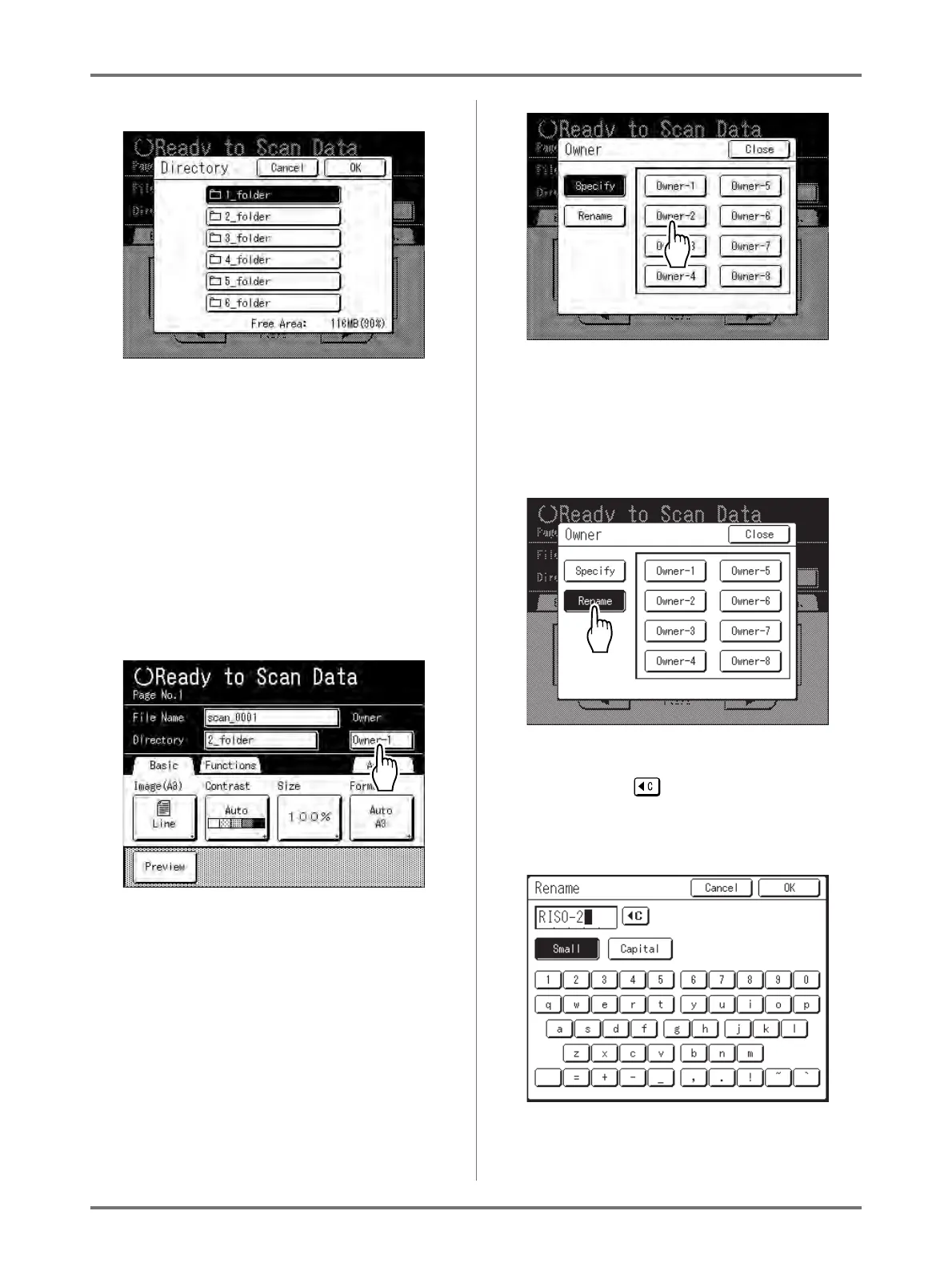
The Directory screen appears.
2) Touch the button of the folder in which to save
data.
Note:
• The folder name of the “Directory” folder
can be changed in “Admin.”.
()p.175)
3) Touch [OK].
The “Directory” folder is confirmed and the
screen returns to the Scan Basic Screen.
4
Specifying an Owner.
1) Touch the owner input box.
The Owner screen appears.
2) Touch the button of the owner to set.
The owner name is confirmed and the screen
returns to the Scan Basic Screen.
Tip:
Changing the Owner Name
1) Touch [Rename] on the Owner screen.
Touch the button of the owner to rename.
The Rename screen appears.
2) Touch the button to delete the current
name.
3) Enter the Owner name.
4) Touch [OK].
The owner name is confirmed and the screen
returns to the Owner screen.



 To Next Page