RPR-4000
Operations manual
REV 8-21 25
NOTE If a change has been entered into a data field without pressing the
ENTER key the next menu page cannot be accessed. This prevents the operator from
continuing without completing an entry.
Changing alpha parameters
Data fields containing alpha information may be changed by first selecting the data field
with the ENTER key and then selecting the desired setting using the UP ARROW key
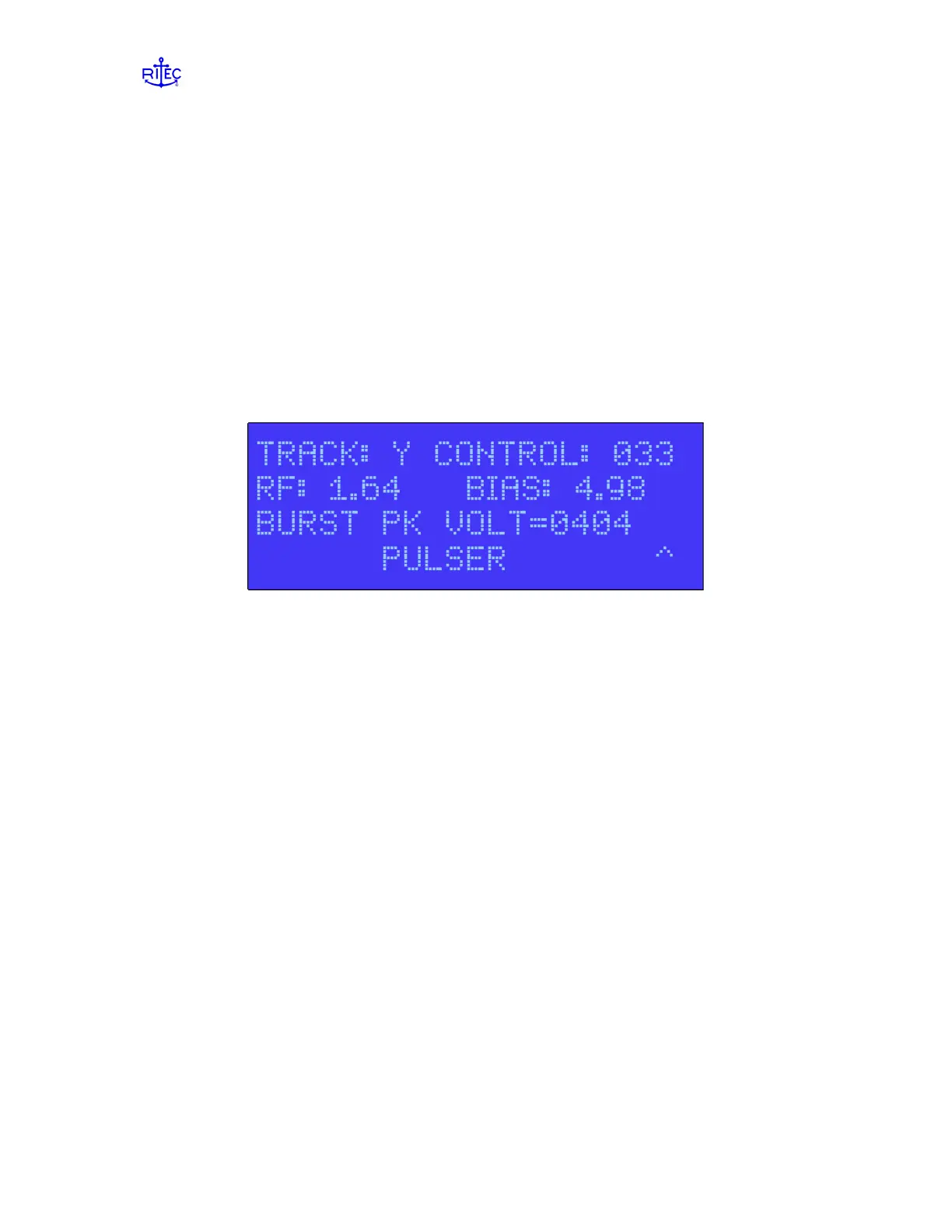
only. When an alpha data field is selected, the operator is notified by an UP ARROW (^)
located on the bottom right side of the display; see Figure 2.2. The (^) character indicates
that the selected data field is an alpha data field and can be changed by using the UP
arrow key only. When the desired setting is displayed press the ENTER key to accept
and execute the setting.
Figure 2.2: A (^) character in the lower right corner of the display indicates that the current
control is an alpha type data field. Use the UP ARROW key to change these parameters. Press
ENTER when you are done.
Changing numeric parameters
NOTE If a change is outside the acceptable limits of the system, the display
will show the following message “ILLEGAL COMMAND”.
Entering data into numeric data fields can be accomplished using 1 of 2 methods.
NOTE When either method has been used to initially enter data, that method
must be used to complete the data field entry.
Manual Entry: Data can be entered using the numeric keys 0 thru 9 beginning
with the left most position in the data field. The first numeric entry will be
displayed and the remainder of the data field will be filled with zeros. When the
entry has been completed press the ENTER key to accept and execute the setting.
Pressing the ENTER key again will advance the cursor to the next data field.
If a mistake was made on entering data or the operator has changed his/her mind,
before the ENTER key is depressed the data field may be cleared by pressing the
LEFTARROW key and entering new data.


 To Next Page