
 Need help?
Do you have a question about the RKC INSTRUMENT REX - C700 and is the answer not in the manual?
Steps for entering the initial set mode by using SET, Up, and Down keys to configure data locking.
Methods to exit the initial set mode by holding keys or locking the mode.
Details the parameter symbols and their corresponding settings and descriptions.
Step-by-step guide for setting individual parameters like input type and alarms.
 General
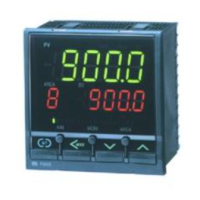
| Model | REX-C700 |
|---|---|
| Type | Temperature Controller |
| Display Type | LED |
| Control Method | PID, ON/OFF |
| Dimensions | 96 x 96 mm |
| Input Type | Thermocouple, RTD |
| Output Type | Relay, SSR |
| Power Supply | 100-240V AC |
| Communication | RS485 (Optional) |








 To Next Page