201.028 REV 1 Date of Issue: 18 June 2018
6.2.2.2 Front Panel Operation
6.2.2.2.1 Result Display
CMS-K models have a 6 button keypad and a small graphical LCD. This allows the display of the test result (current
cleanliness level, with water content and temperature if applicable).
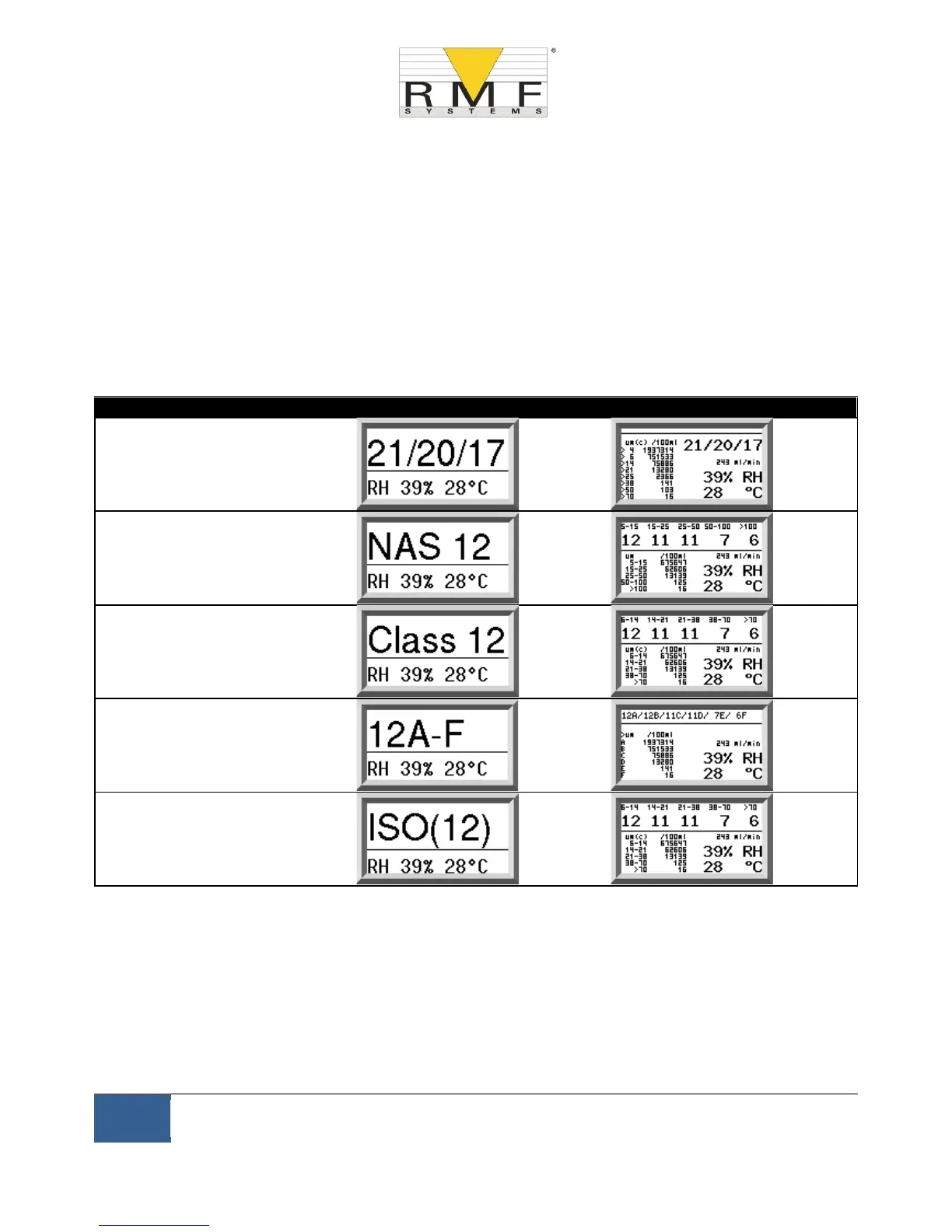
The graphical format allows a full display of all codes of the standards supported.
The unit powers up in "Display Mode’’. This displays the test result in the selected format. The table below shows
those available.
The screenshots in the right column are the "detailed’’ version of the display additionally showing the particle
counts and flow rate. The particle sizes and count representation are automatically matched to the selected
format.
There is also a ``History’’ screen which shows the last 10 results.
The operator can switch between these screens using the ▲ and ▼ keys.



 To Next Page