EasyManua.ls Logo

ROBBE Telemetry-Box - User Manual

ROBBE Telemetry-Box
24 pages
Print Icon
To Next Page IconTo Next Page
Loading...
Instructions,
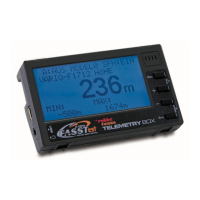
Telemetry-Box 2.4 GHz FASSTest
®
No. F1666
Question and Answer IconNeed help?

Do you have a question about the ROBBE Telemetry-Box and is the answer not in the manual?

ROBBE Telemetry-Box Specifications

General IconGeneral
BrandROBBE
ModelTelemetry-Box
CategoryMeasuring Instruments
LanguageEnglish

Summary

General Description

Control Panel Overview

ESC Button Functionality

Controls menu navigation, sound output, and resets Min/Max values.

Navigation Buttons (+;-)

Increase/decrease values, navigate menus, and access programming mode.

Enter;Activate Button (ENT)

Selects menus, activates parameters, and accesses volume settings.

Mounting the Telemetry-Box

Mounting on Console Transmitter

Instructions for attaching the Telemetry-Box to console-type transmitters with threaded aerials.

Switching the Telemetry-Box On

Charging the Telemetry-Box

Binding the Telemetry-Box

Menu Structure and Navigation

Telemetry Display Explanation

Speech Output Display

Programming Menu

Sensor Setup Menu

Sensor Register Menu

Model Select Menu

USB PC Socket

USB Driver Installation

Robbe Telemetry-Box Update