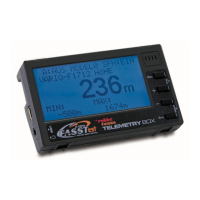
Telemetry-Box 2.4 GHz FASSTest
®
5
6. MOUNTING THE TELEMETRY-BOX
ON THE TRANSMITTER
The Telemetry-Box can be fixed to hand-held transmitters
with carry handle, such as the T8FG, or to console-type
transmitters with threaded aerial, such as the FX-30, using
the adapters included in the set.
Additional adapters are also available:
The adapter for hand-held transmitters is mounted on the
transmitter's carry handle.
This is the procedure:
• Removethetwoscrewsintheadapter,andseparate
the two components.
•Placethefrontandrearsectionsroundthecarryhandle,
and re-assemble them.
•Nowadjustthepositionoftheadaptersothatyoucan
easily read the screen.
•Tightenthetwoscrewstoxtheadapterinplace.
• NowttheTelemetry-Boxonthetworetainingpegs.
MOUNTING ON A HAND-HELD TRANSMITTER
The adapter for console transmitters is mounted on the
ball-end of the aerial thread.
This is the procedure:
• Screwtheadaptertothethreadedpartoftheaerial.
• Adjustthepositionoftheadaptersothatthe"robbe"
label is legible.
• Ifyouwishtomakeneadjustments,loosenthescrew
onthebackoftheadapter.Adjusttheadapter'sposition,
then tighten the screw again.
• NowttheTelemetry-Boxonthetworetainingpegs.
MOUNTING ON A CONSOLE-TYPE TRANSMITTER
WITH THREADED AERIAL
Telemetry-Box aerial adapter,
26 mm No. F1666100
Adapter for mounting the
Telemetry-Box on the FC-18 trans-
mitter.
Gooseneck for Telemetry-
Box No. F1666200
Gooseneck for mounting the
Telemetry-Box on all transmitters
with option wells for switches, e.g.
FX-20.
Telemetry-Box bayonet
adapter No. F1666300
Adapter for mounting the
Telemetry-Box on all transmitters
with bayonet-fit aerial, e.g. T14MZ
and FX-40.


 To Next Page