If you need any further advice, please call our Technical Helpline on :-
020 8758 0338 (Mon-Fri)
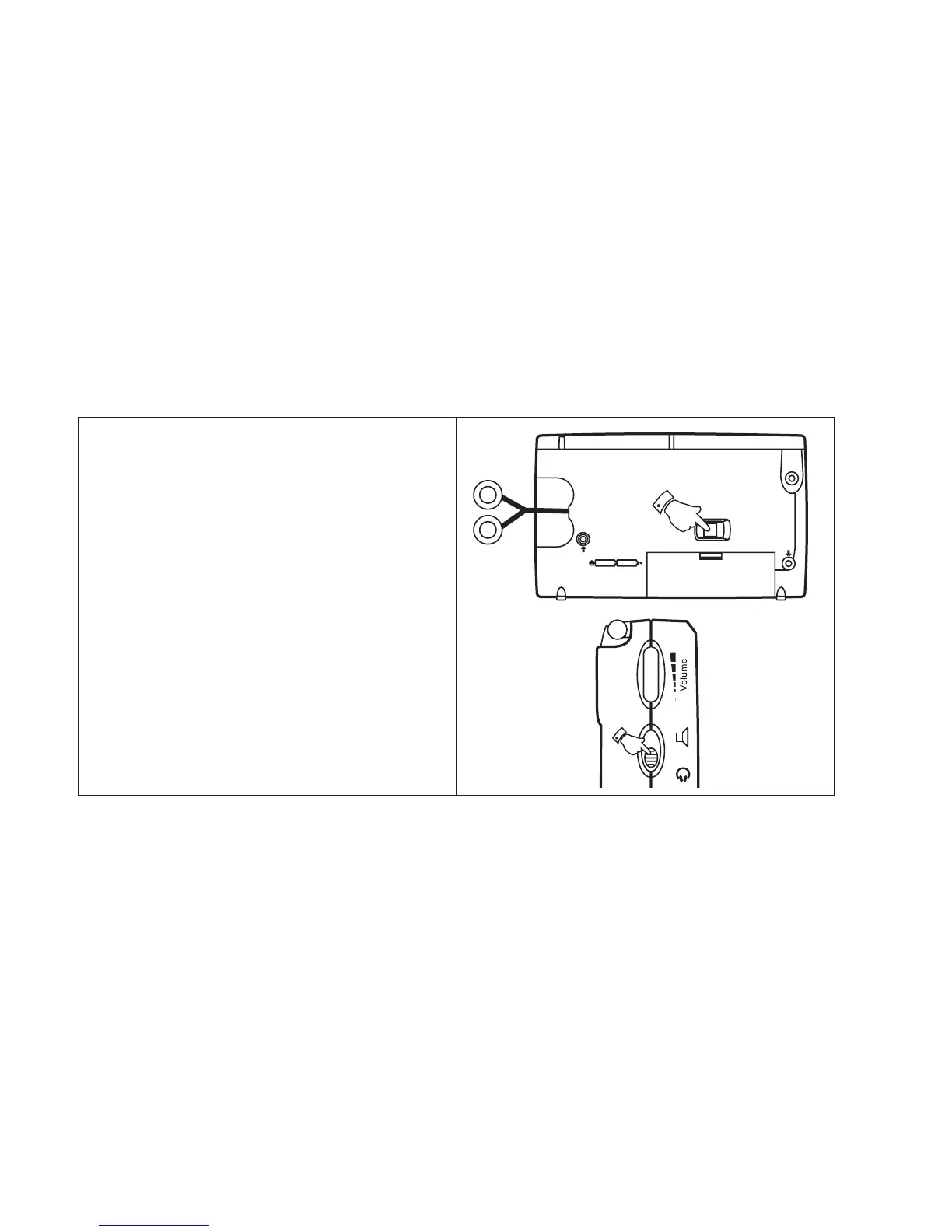
Earphones
The earphone fitted to your radio are equipped
with an auto rewind system to allow for easy
storage.
1. Gently pull out the earphones from the right
hand side of the radio.
2.Slide the Loudspeaker/Headphone
switch to the 'Headphone' position the
loudspeaker will mute.
3. To retract the earphones slide the switch
on the rear of the cabinet. Hold onto the
earphones while they rewind into the
cabinet.
4.Slide the Loudspeaker/Headphone
switch to the 'Loudspeaker' position to
return to normal operation.
36



 To Next Page