If you need any further advice, please call our Technical Helpline on :-
020 8758 0338 (Mon-Fri)
In Europe and other parts or the world MW
tuning steps are 9kHz, in America the MW
tuning step size is 10kHz.
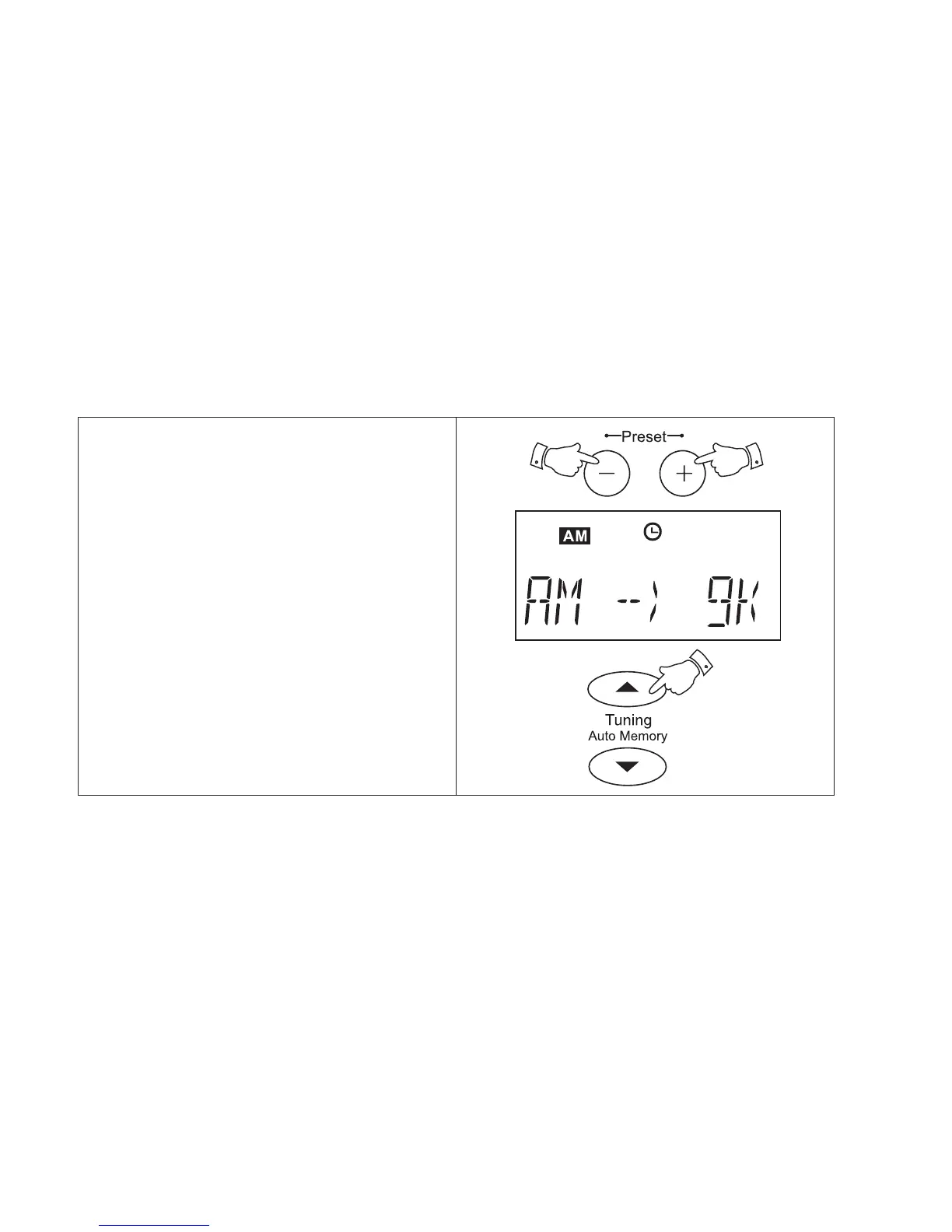
To change the MW tuning step size from 9KHz
to 10KHz proceed as follows:-
1. Switch on your radio and select the MW
(AM) waveband.
2. Press and hold down both the Preset + and
Preset - buttons until the display shows
AM --} 9k.
3. Press the Tuning up button to select 10kHz
step size. Press the tuning up button a
second time to confirm the setting.
MW (AM) tuning step size
18



 To Next Page