9
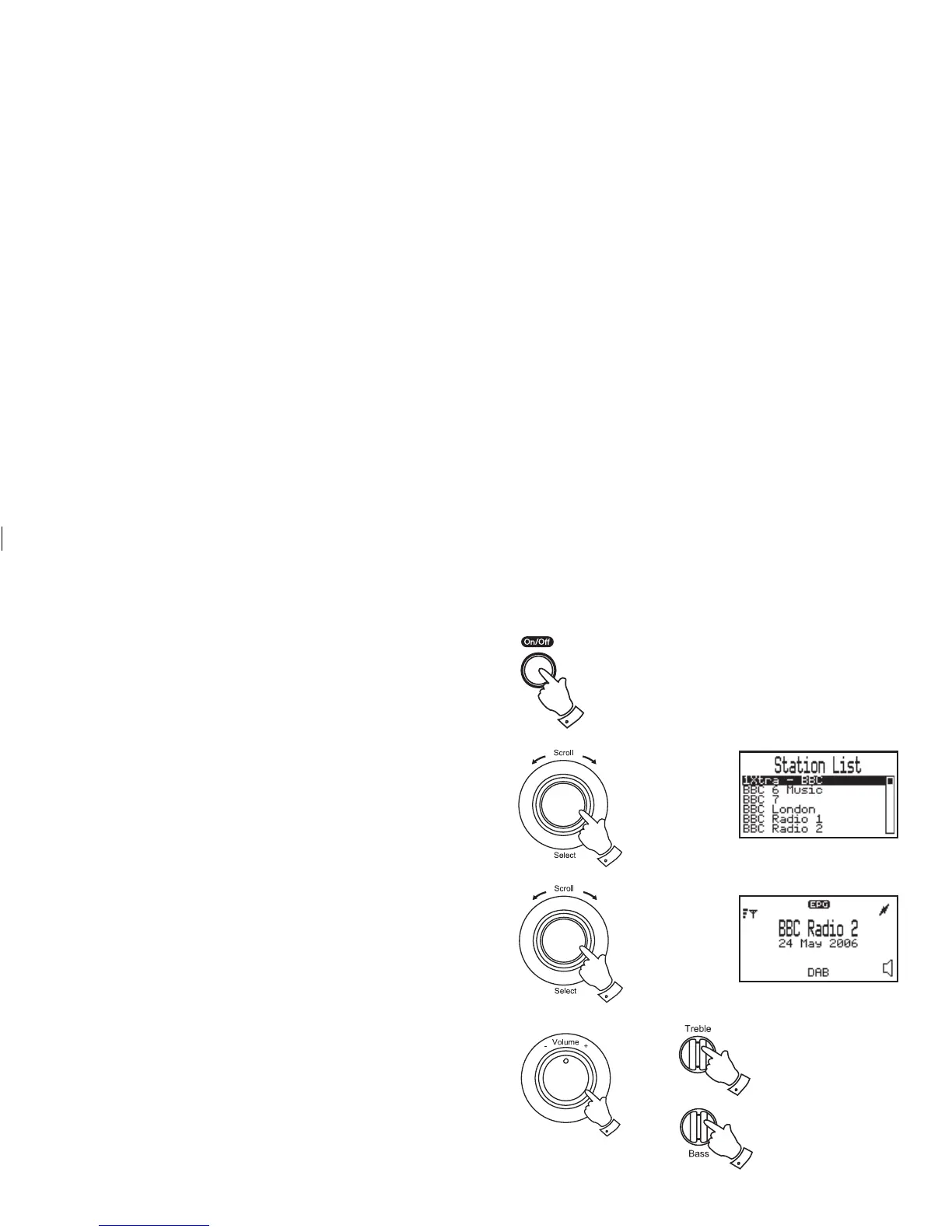
Selecting a station - DAB
1. Fully extend the telescopic aerial.
2. Press the Power/Standby button to switch on your radio.
3. Rotate the Tuning/Select control until the station list appears.
4. Continue to rotate the Tuning/Select control until the required
station is highlighted on the display.
5. Press and release the Tuning/Select control to select the station.
The required station will be selected and after a few seconds the
station name will appear on the display.
6. Adjust the Volume, Bass and Treble controls to the required
settings.
Note: To return to the normal display mode from the station list
without selecting a station press and release the Menu/Back
button or simply wait a few seconds.
2
3,4
6
6
5
6














 To Next Page