If you need any further advice, please call our Technical Helpline on :-
020 8758 0338 (Mon-Fri)
56
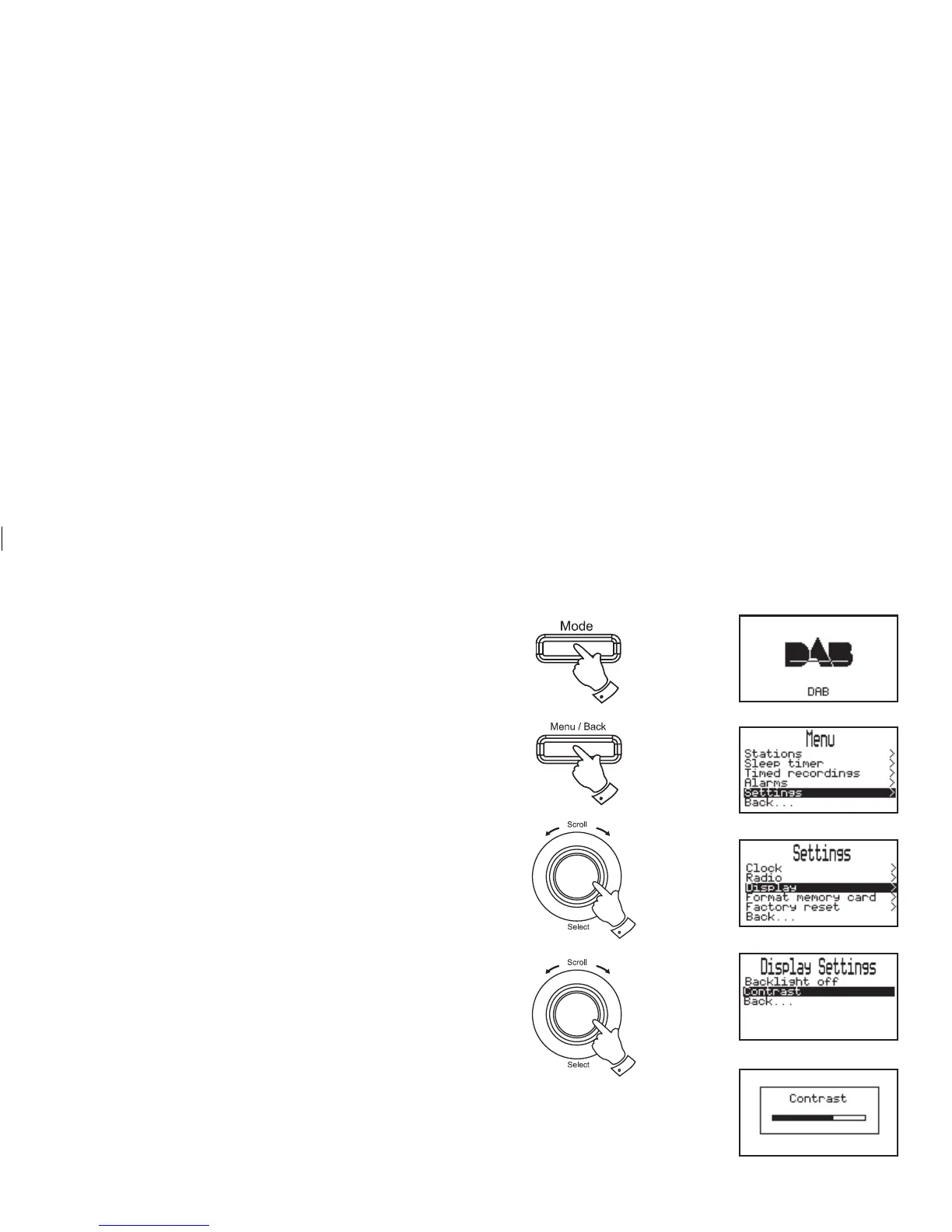
Display settings - Contrast
The display contrast can be changed if needed to suit lighting
conditions.
1. Press the Mode button until the desired waveband is selected.
2. Press the Menu/Back button, the main Menu screen will be
selected.
3. Rotate the Tuning/Select control until "Settings" is highlighted
on the display. Press and release the Tuning/Select control.
4. Rotate the Tuning/Select control until "Display" is highlighted
on the display. Press and release the Tuning/Select control.
5. Rotate the Tuning/Select control until "Contrast" is highlighted
on the display. Press the Tuning Select control.
6. To adjust the contrast rotate the Tuning/Select control. Press
and release the Tuning/Select control to confi rm selection.
7. The display will return to the previous screen.
5,6
3,4
1
2














 To Next Page