If you need any further advice, please call our Technical Helpline on :-
020 8758 0338 (Mon-Fri)
4
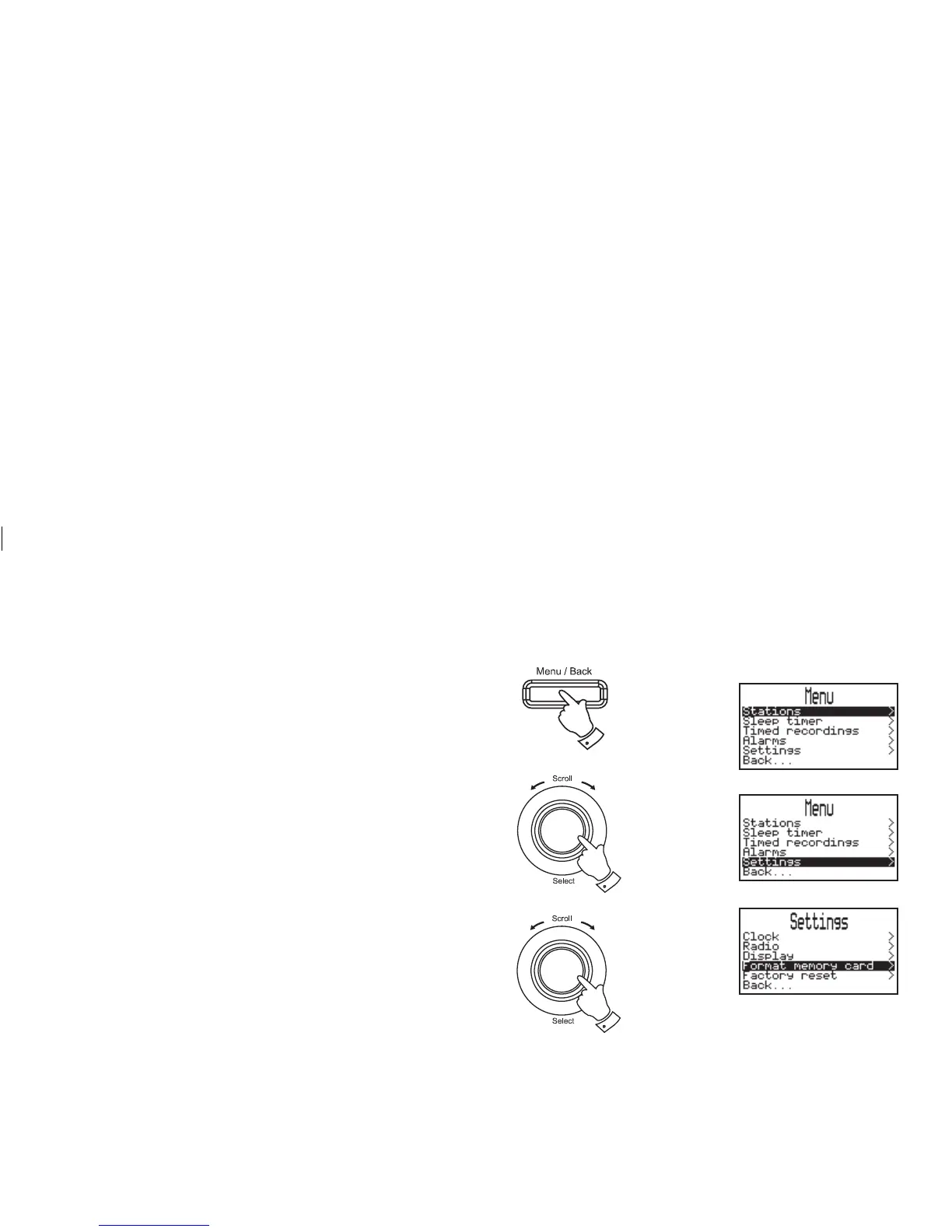
SD Card Format
Formatting your SD card erases any previously recorded fi les. It also allows
an SD card formatted on another device to be re-formatted for use on your
radio. The SD card can be formatted in DAB, FM and Playlist mode.
1. Insert an SD card into the slot.
2. Press the Menu/Back button to enter the main menu.
3. Rotate the Tuning/Select control until "Settings" is highlighted
on the display. Press and release the Tuning/Select control the
settings menu will appear on the display.
4. Rotate the Tuning/Select control until "Format memory card" is
highlighted on the display. Press and release the Tuning/Select
control.
2
3
28
continued on next page














 To Next Page