If you need any further advice, please call our Technical Helpline on :-
020 8758 0338 (Mon-Fri)
18
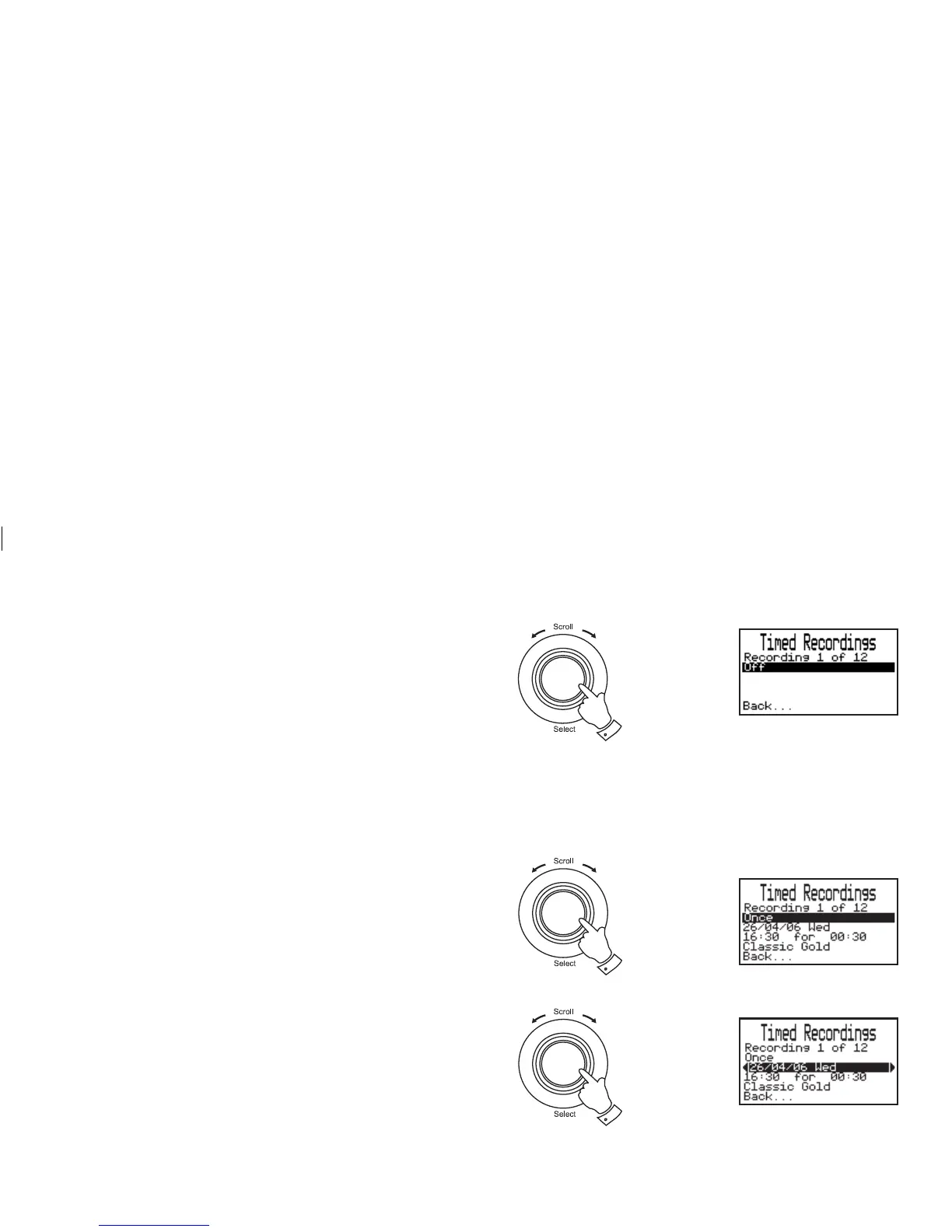
7. Rotate the Tuning/Select control until the day option is highlighted
on the display. To adjust the day option setting press the Select/
Tuning control. By default, record timers are be set to "Off".
• Each of the 12 timers can be set to one of the following modes:-
Off - Will disable the timer
Once - Will record at one time only
Every day - Will record every day
Weekly - Will record once every week
Weekdays - Will record on weekdays (Monday - Friday)
Weekends - Will record on Saturday and Sunday
Timer set to Once
1. Rotate the Tuning/Select control until "Once" is highlighted on
the display. Press and release theTuning/Select control.
2. Rotate the Tuning/Select control until the date is highlighted on
the display. Press and release theTuning/Select control to enter
date setup.
3. Rotate the Tuning/Select control to select the required date.
Press and release theTuning/Select control.
Note: Your radio allows recording to be scheduled 60 days ahead of
current date.
7
1
2,3
continued on next page














 To Next Page