49
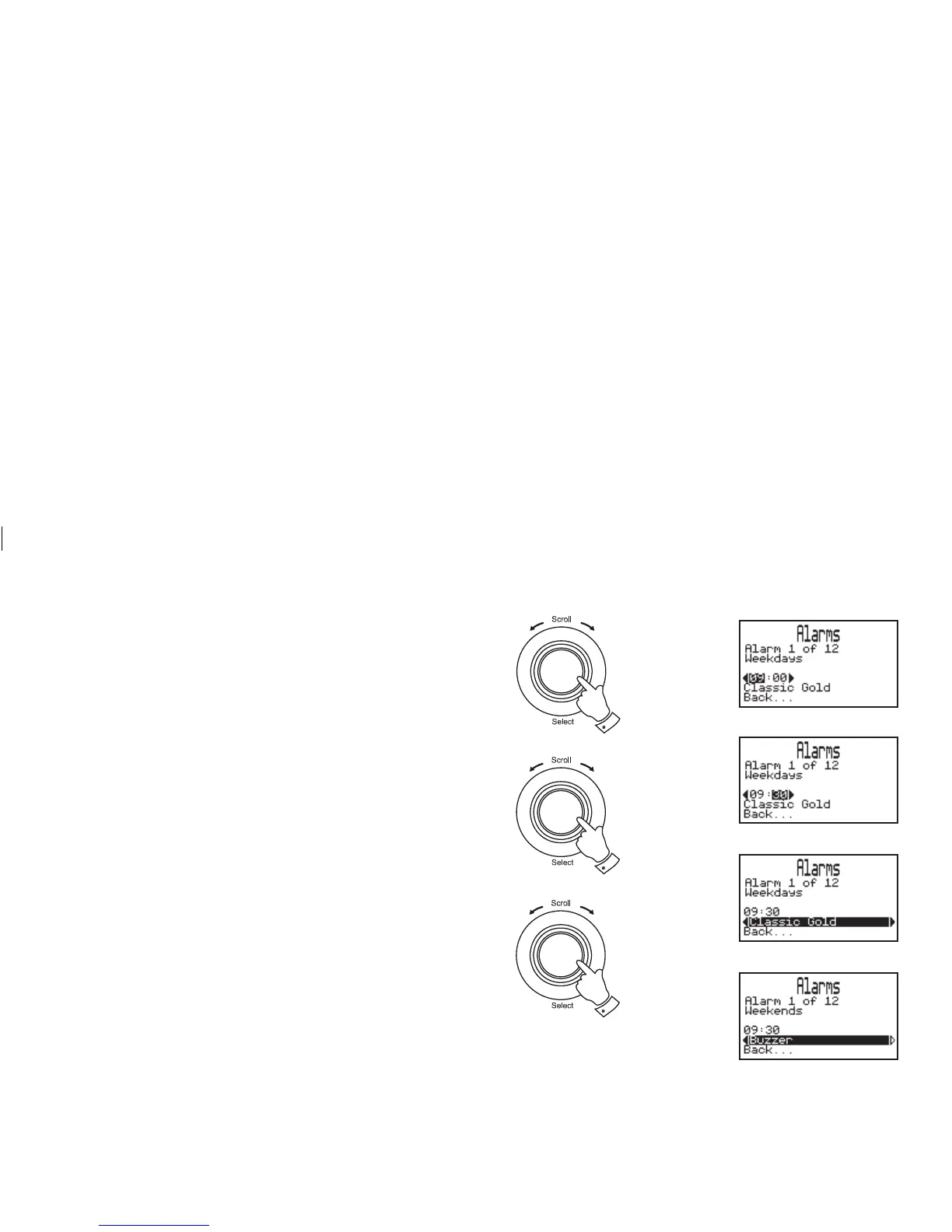
3. Rotate the Tuning/Select control to select the required hour.
Press and release the Tuning/Select control.
4. Rotate the Tuning/Select control until the minute digits are
highlighted on the display. Press and release the Tuning/Select
control.
5. Rotate the Tuning/Select control to select the required minute.
Press and release the Tuning/Select control.
6. Rotate the Tuning/Select control until the alarm mode is high-
lighted on the display. Press the Tuning/Select control.
7. Rotate the Tuning/Select control to select required alarm mode.
Your alarm can be set to either buzzer, station name or track from
playlist. Press and release the Tuning/Select control.
8. Press the Menu/Back button or select the "Back..." option to exit
back a menu or screen.
3,4
5,6
7
continued on next page














 To Next Page