If you need any further advice, please call our Technical Helpline on :-
020 8758 0338 (Mon-Fri)
12
Manual tuning - DAB
Manual tuning allows you to tune your radio to a particular DAB frequency
in Band III. Any new stations found will be added to the station list. This
function can also be used to assist the positioning of the aerial or the radio
to optimise reception for a specifi c channel or frequency. Note that UK DAB
stations are located in the range of channels 11B to 12D.
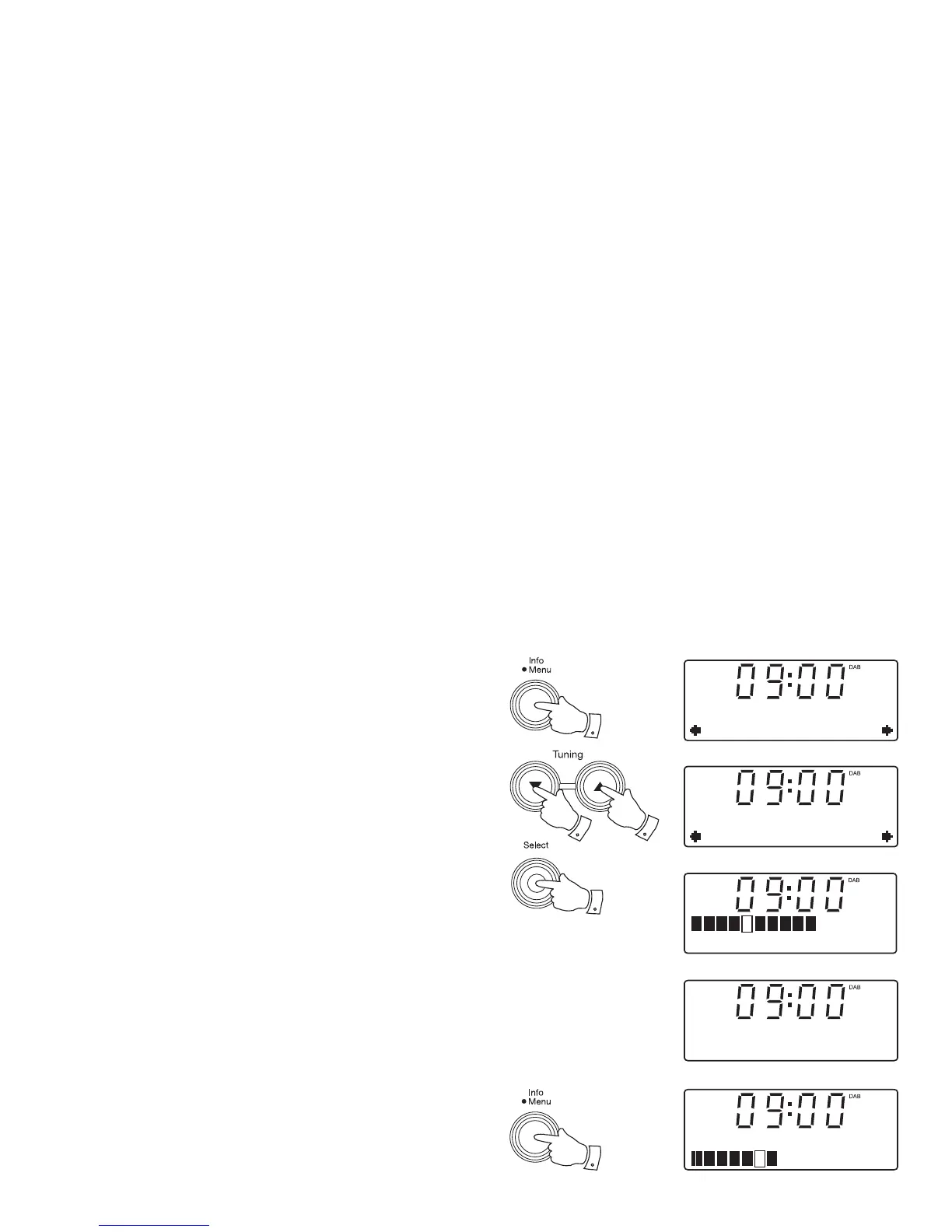
1. Press and hold the Menu button.
2. Press the Tuning Up or Down buttons until the display shows 'Manual
tune'.
3. Press and release the Select button to enter the manual tuning mode.
4. Press the Tuning Up or Down buttons to select the desired DAB channel.
5. Press and release the Select button. The open block in the signal
strength graph shows the minimum signal strength needed for good DAB
reception. The signal blocks will go up and down showing the changing
signal strength as you adjust the wire aerial or the radio position. Any
new radio stations found on the tuned DAB multiplex will be added to
the list stored in the radio.
6. Press and release the Select button to return to normal tuning mode.
2,4
2,4
3-6
1
DAB
Manual tune
Manual tune
12B 225.648MHz
12B 225.648MHz B
BBC Radio 1
Now tuning...
Signal strength display - DAB
1. Press and release the Info button until the display shows signal strength.
The open block in the signal strength graph shows the minimum signal
strength needed for good DAB reception. The signal blocks will go up
and down showing the changing signal strength as you adjust the wire
aerial or the radio position.
1
BBC Radio 2


 To Next Page