25
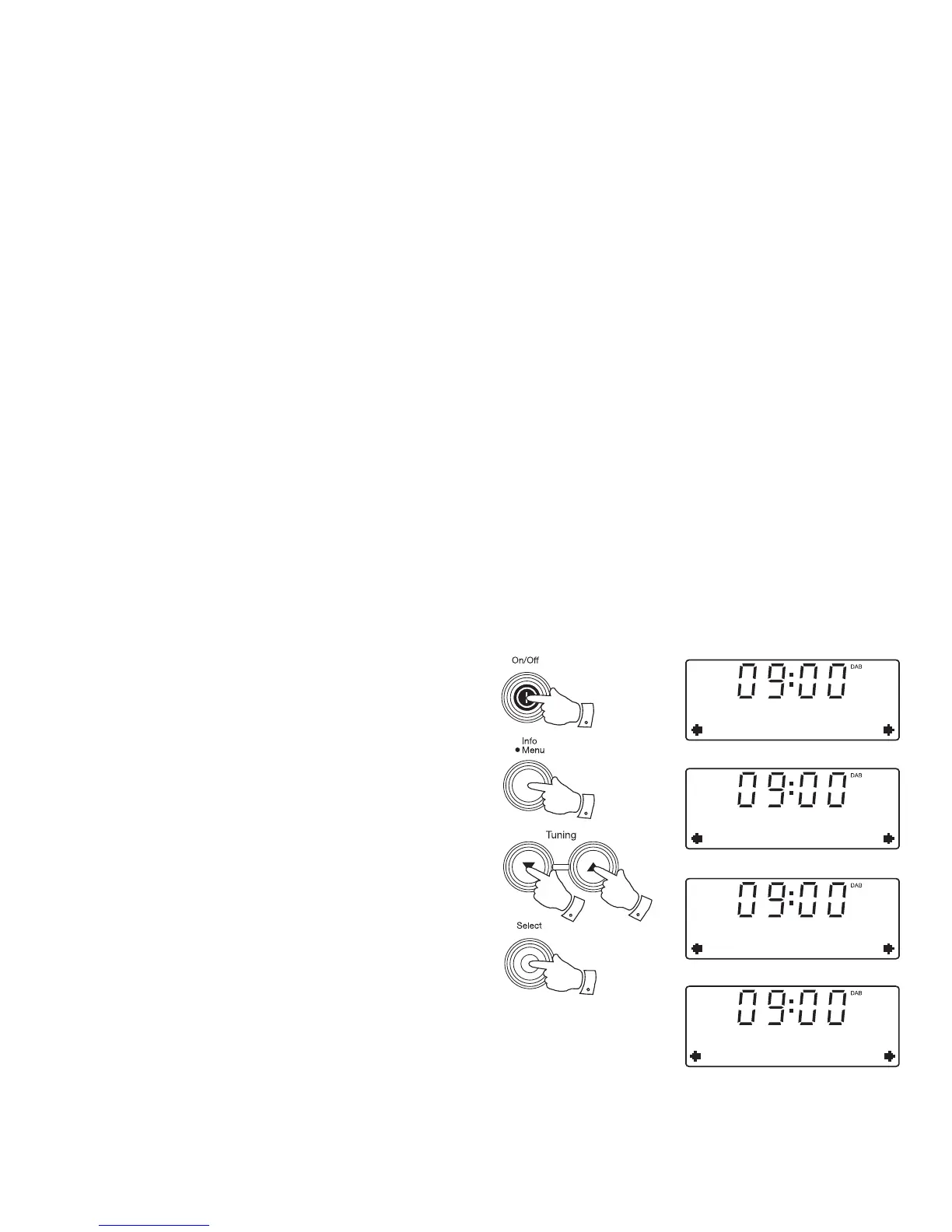
To return to auto clock set mode
1. Press the On / Off button to switch on your radio.
2. Press and hold the Menu button.
3. Press the Tuning Up or Down buttons until 'System' appears on the
display. Press and release the Select button.
4. Press the Tuning Up or Down buttons until 'Time' appears on the
display. Press and release the Select button.
5. Press the Tuning Up or Down buttons until 'Auto update' appears on
the display. Press and release the Select button.
6. Press the Tuning Up or Down buttons to choose 'Update from Any',
'Update from DAB', 'Update from FM' or 'No update'. Press and release
the Select button.
DAB
System
System
Time
Time
Auto update
3-6
3-6
3-6
2
1
Auto update
Update from DA
*


 To Next Page