Battery operation
1. Remove the battery cover on the rear of the unit by pushing the battery
door in slightly and then downwards in the direction of the arrows in
the diagram.
2. Insert six LR20 (D size) alkaline batteries into the battery compartment.
Take care to ensure all batteries are inserted with the correct polarity as
shown inside the battery compartment. Replace the battery cover.
3. Short running time, reduced power, a dim display, and audio distortion
are all signs that the batteries may need replacing.
4. If the radio is not to be used for any extended period of time it is
recommended that the batteries are removed from the radio.
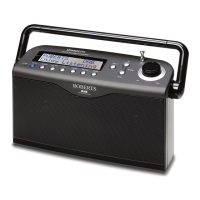
We recommend for economy that the WM-202 is used with the AC adaptor
whenever possible with battery operation for occasional or stand-by use
only. If using batteries, only alkaline types should normally be used.
Battery life will vary according to the use of the radio, but between 35
and 50 hours should be possible. WiFi use takes more power than DAB
listening, for example.
Rechargeable Nickel Metal Hydride (NiMH) cells can be used in the radio
but must be charged using an external charger. Note that commercially
available D sized NiMH cells have a capacity which is only a small fraction
of that of D sized Alkaline cells and so they will only power the radio for a few
hours before needing recharging. Never mix battery types in the radio.
IMPORTANT: The batteries should not be exposed to excessive heat
such as sunshine, fi re or the like. After use, disposable batteries should
if possible be taken to a suitable recycling centre. On no account should
batteries be disposed of by incineration.
7
1

 To Next Page
 Loading...